Step 1: Go to analytics.google.com and sign in with your Google account.
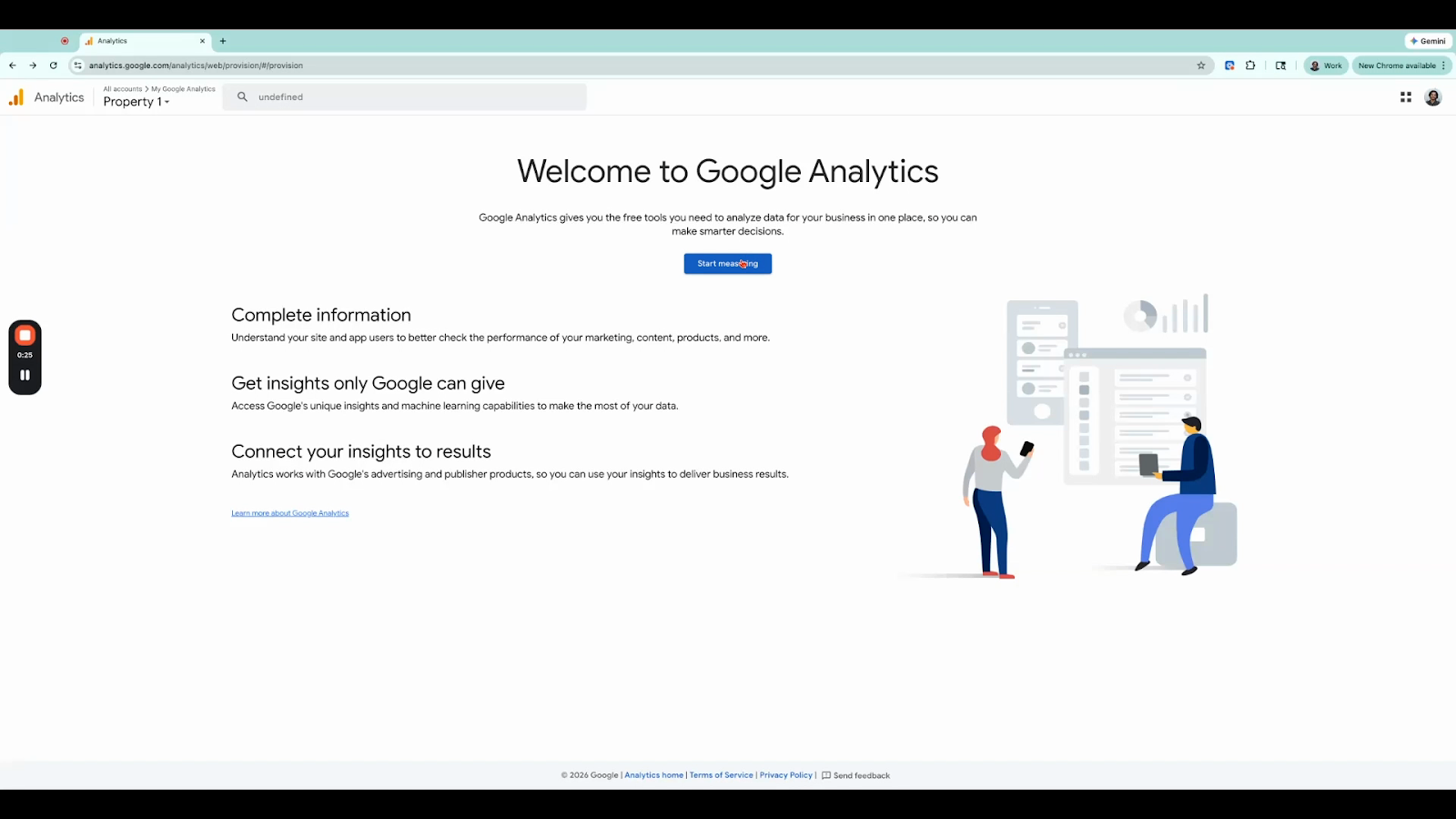
Step 2: Click Start Measuring to begin the setup process.
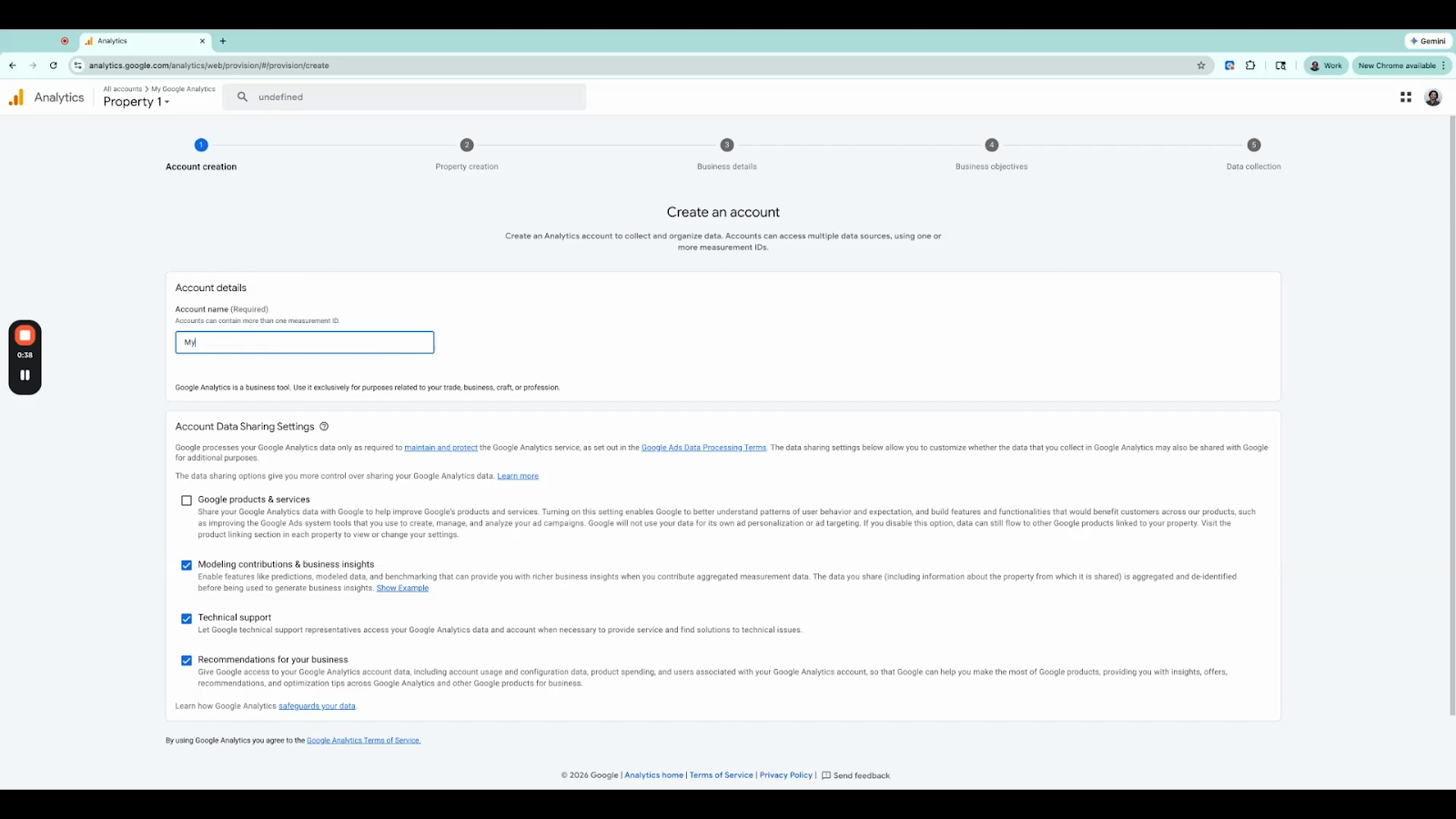
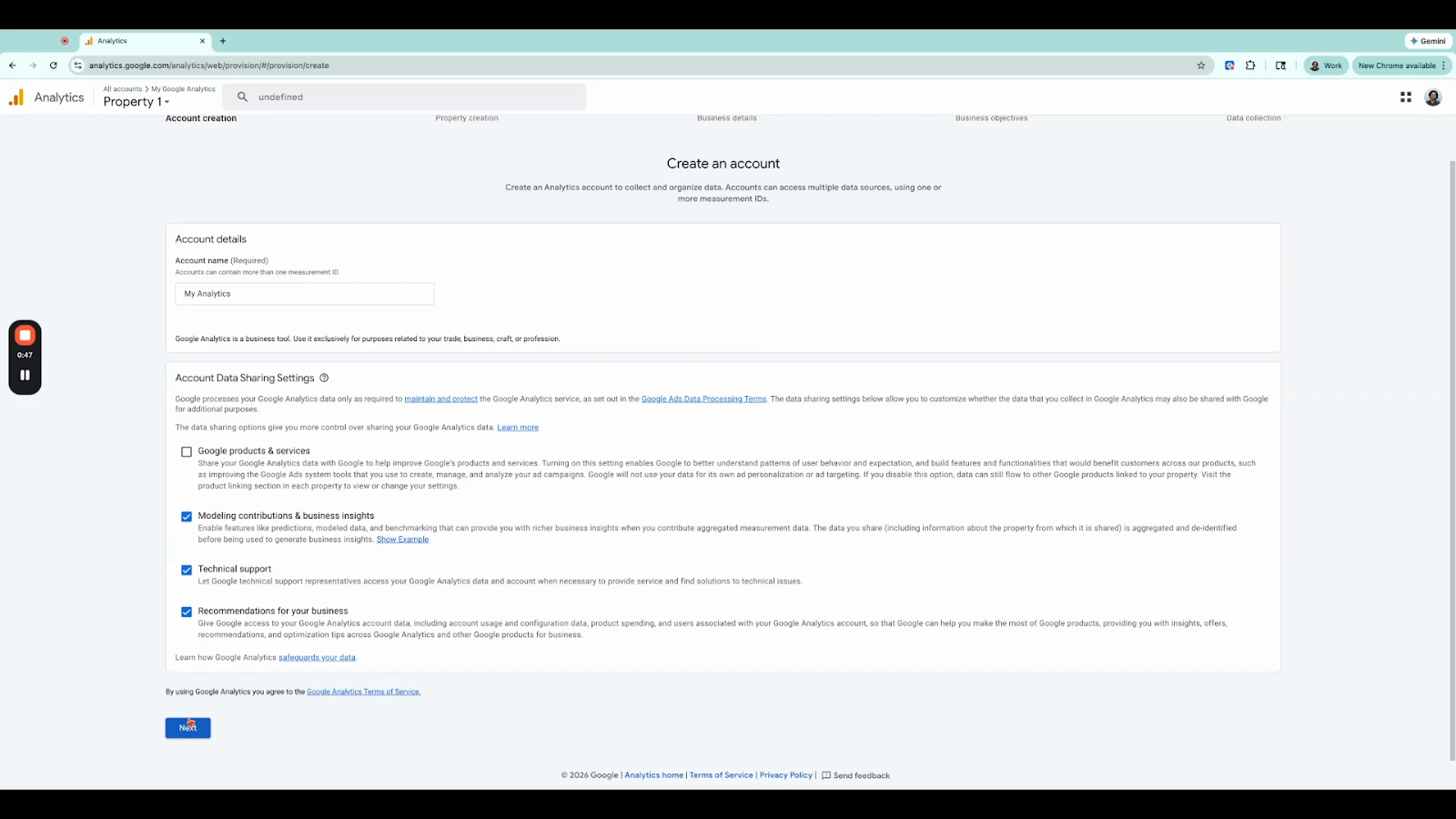
Step 3: Enter an Account Name (e.g., "My Analytics"), then click Next.
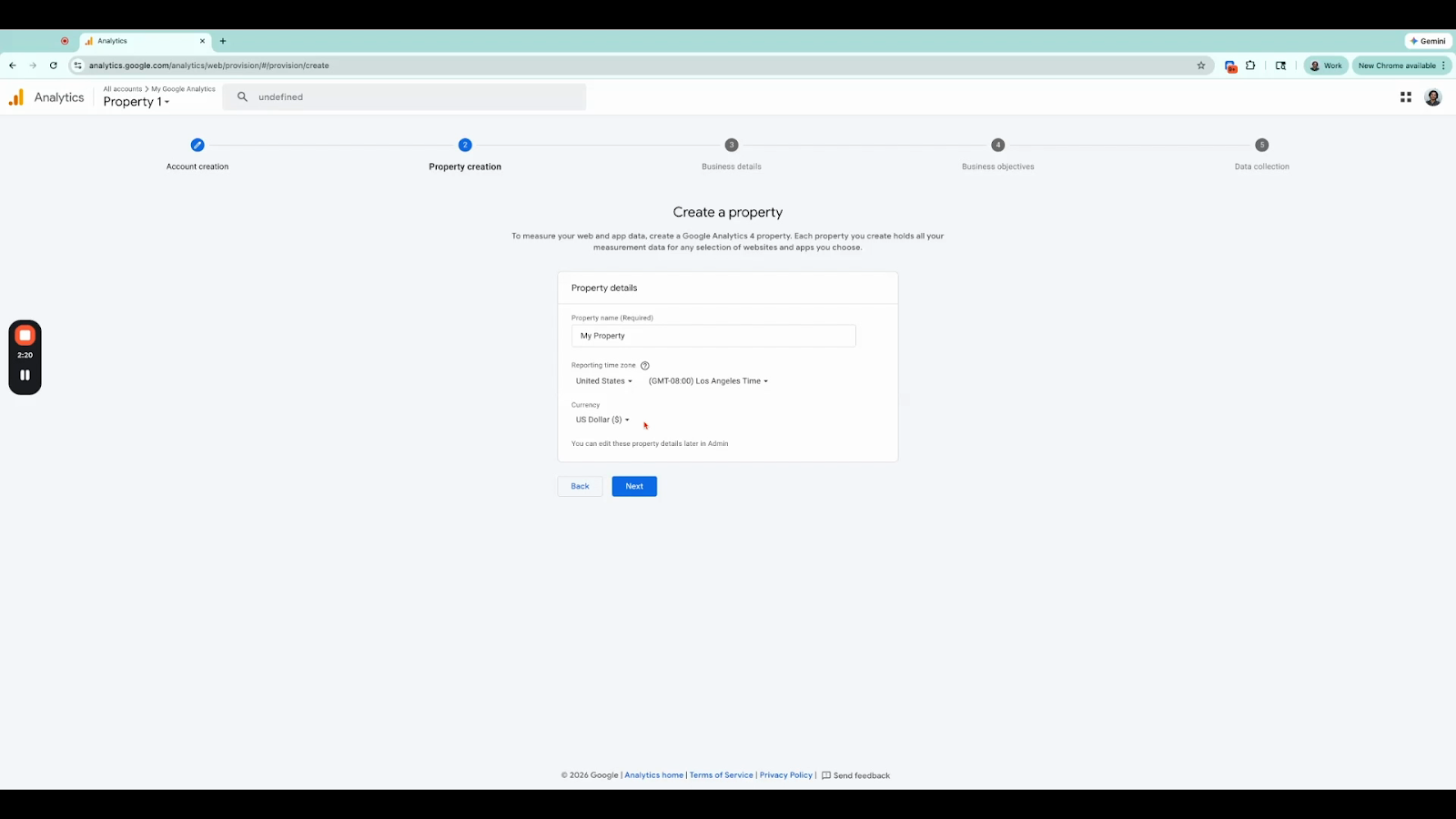
Step 4: Enter a Property Name, select your Reporting Time Zone, and choose your Currency. Then click Next.
Step 5: Select your Business Category (e.g., Real Estate) & Business Size then click Next.
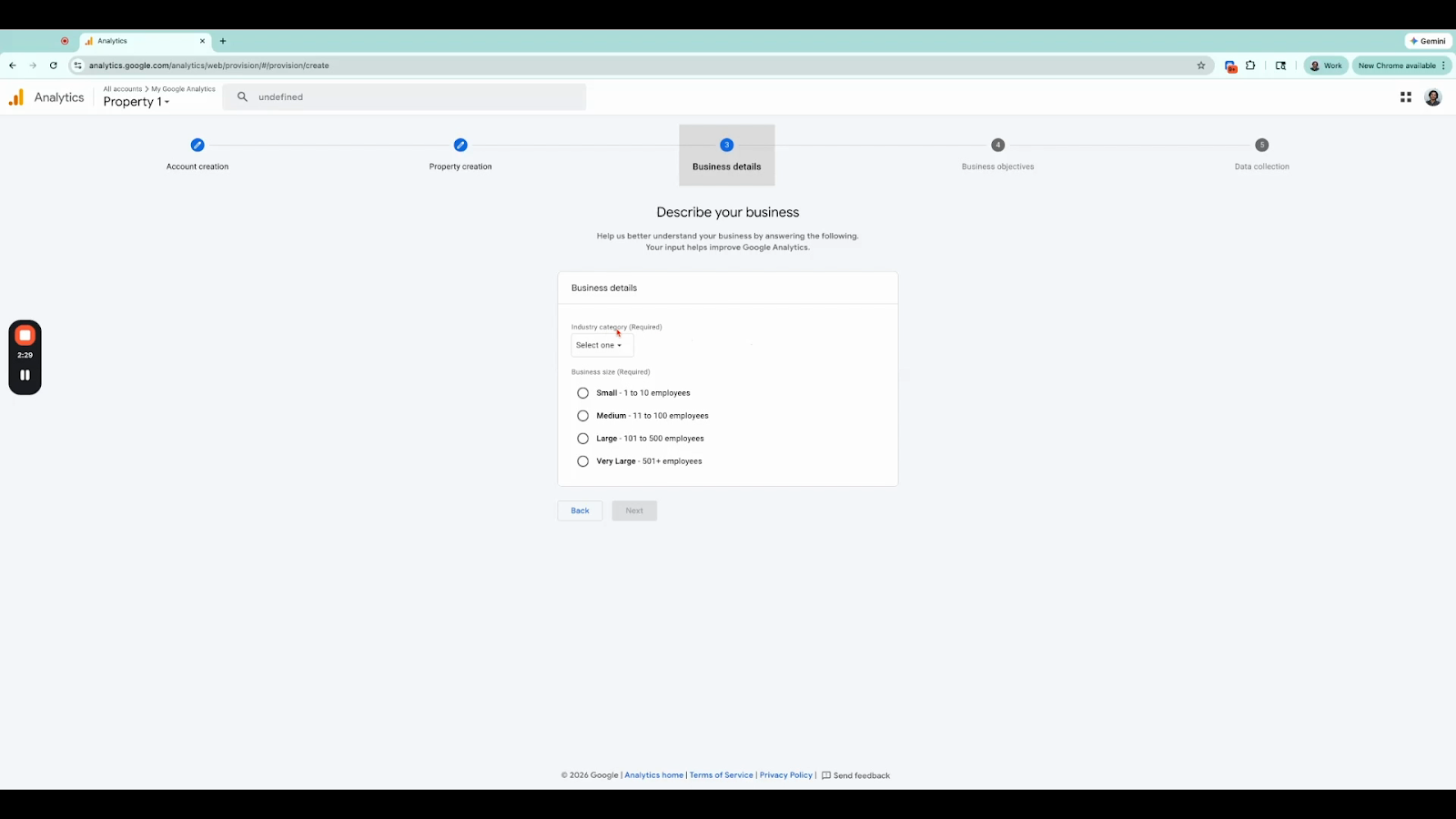
Step 6: Select how you intend to use Google Analytics — for example, Generate Leads or Understand Web and/or App Traffic. Click Next.
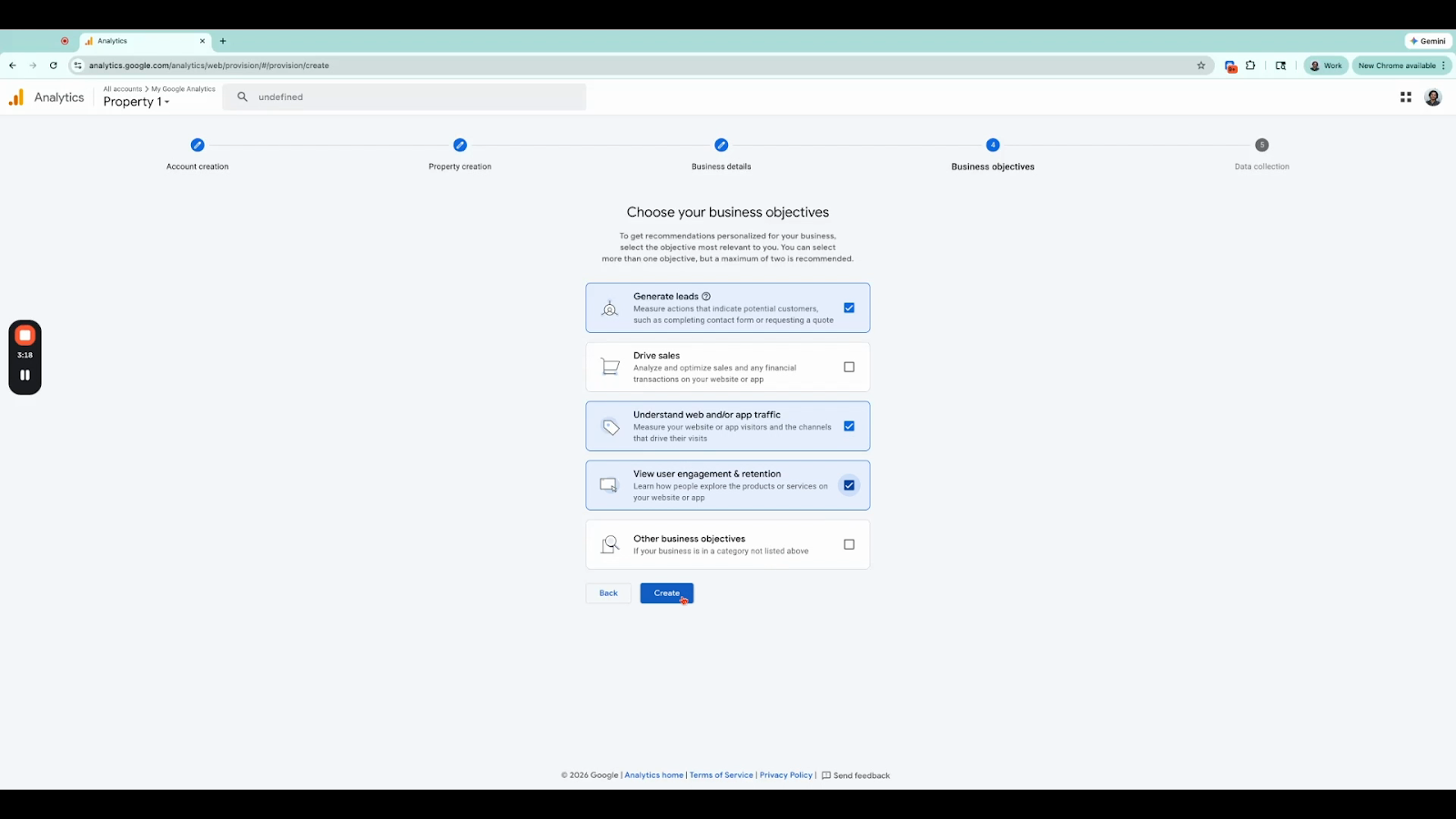
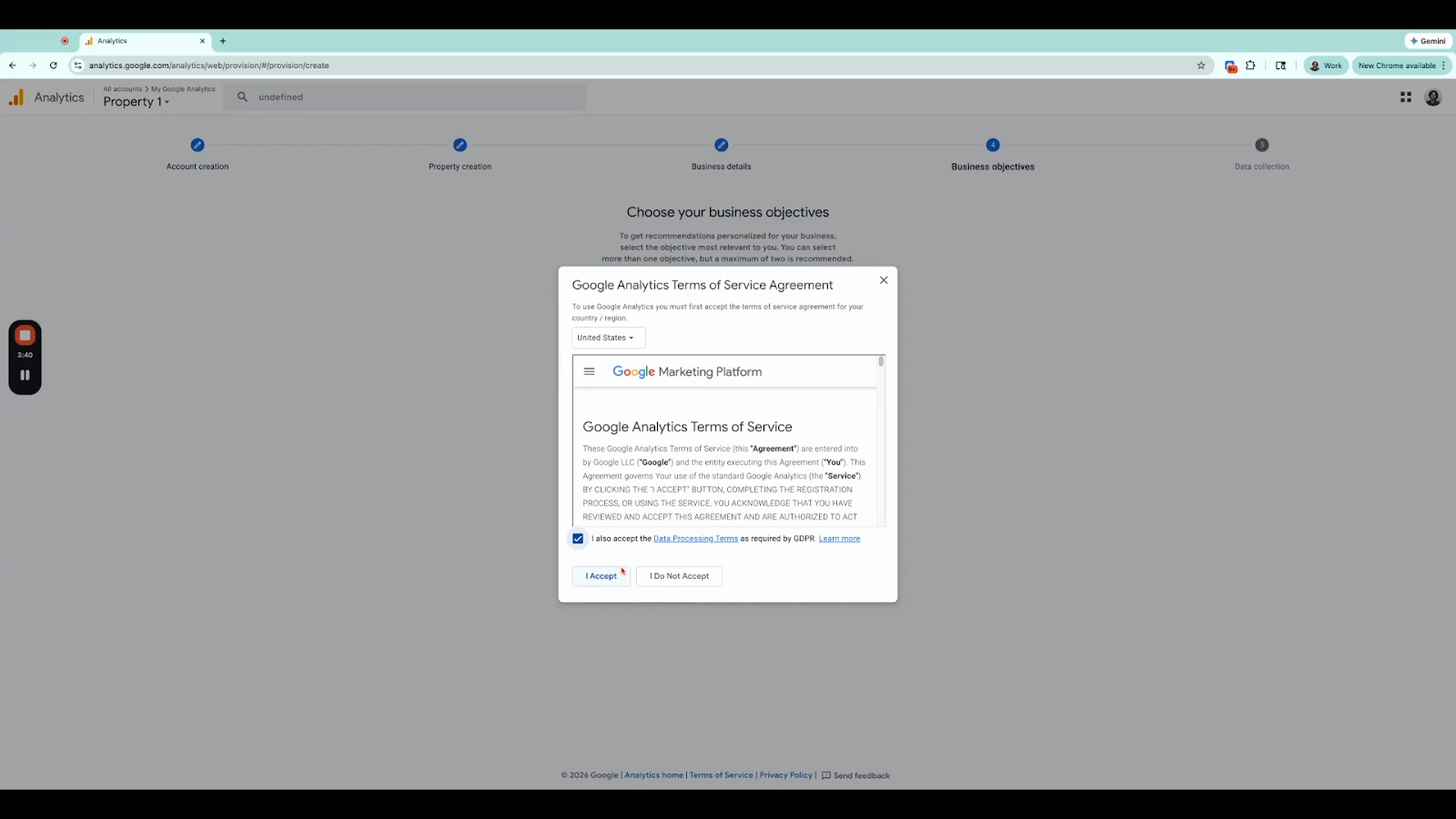
Step 7: Review and accept the Terms of Service Agreement and Data Processing Terms, then click I Accept.
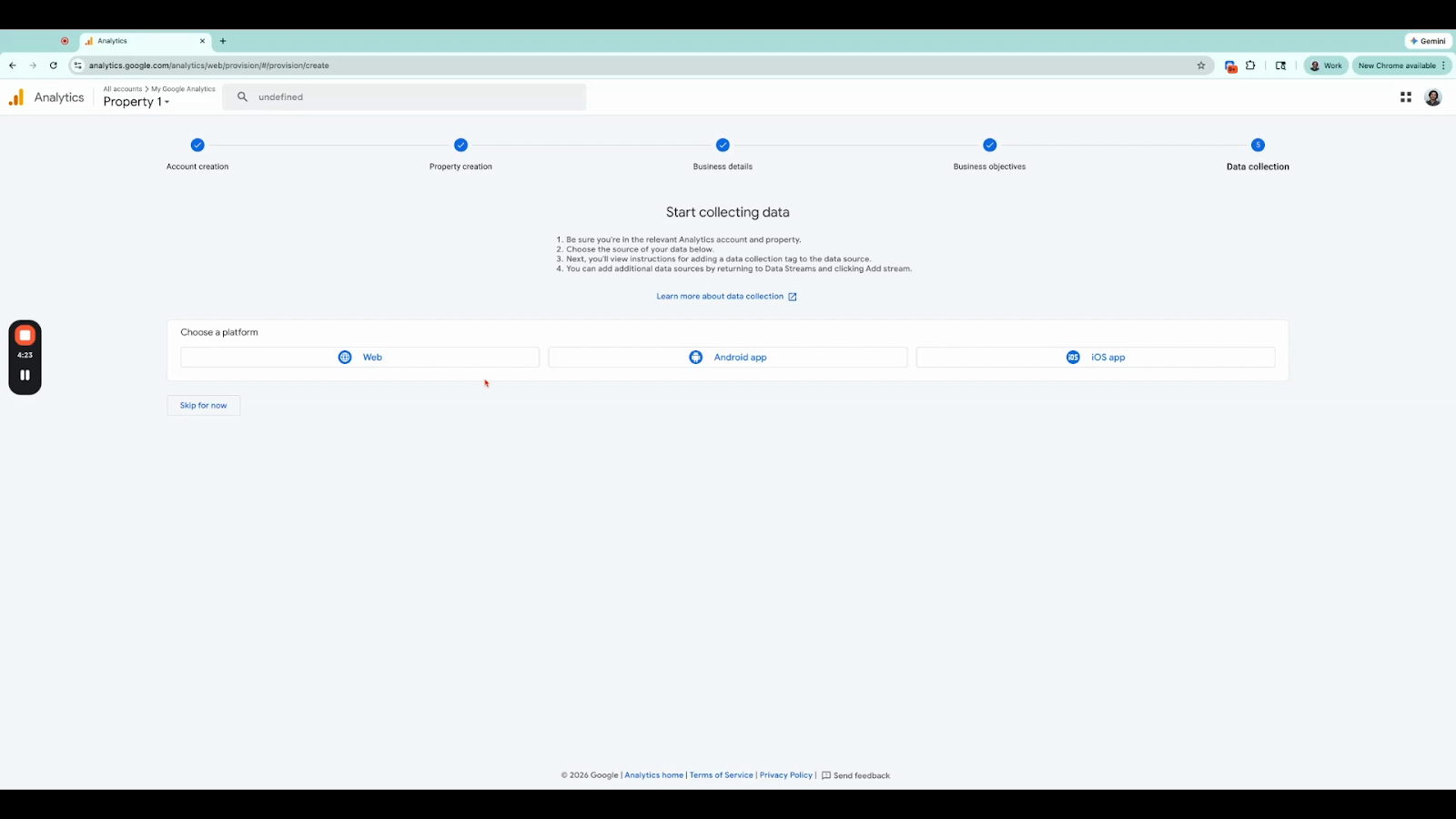
Step 8: Select your data collection platform. Choose Web for website tracking.|
Step 9: Enter your Website URL (e.g., umbrellalocal.com) and a Stream Name (e.g., "My Data"), then click Create.
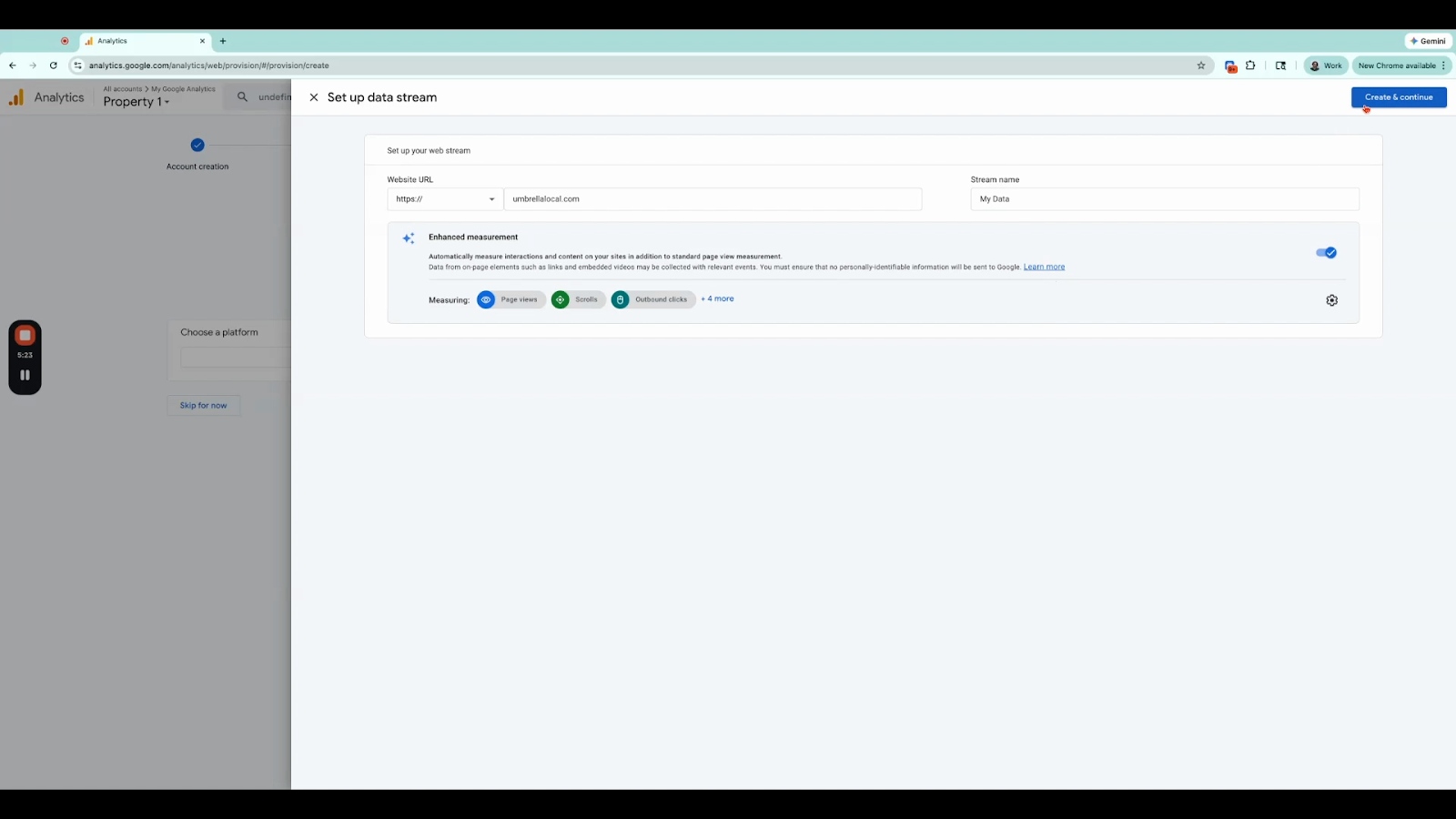
Step 10: Once your stream is created, click Next.
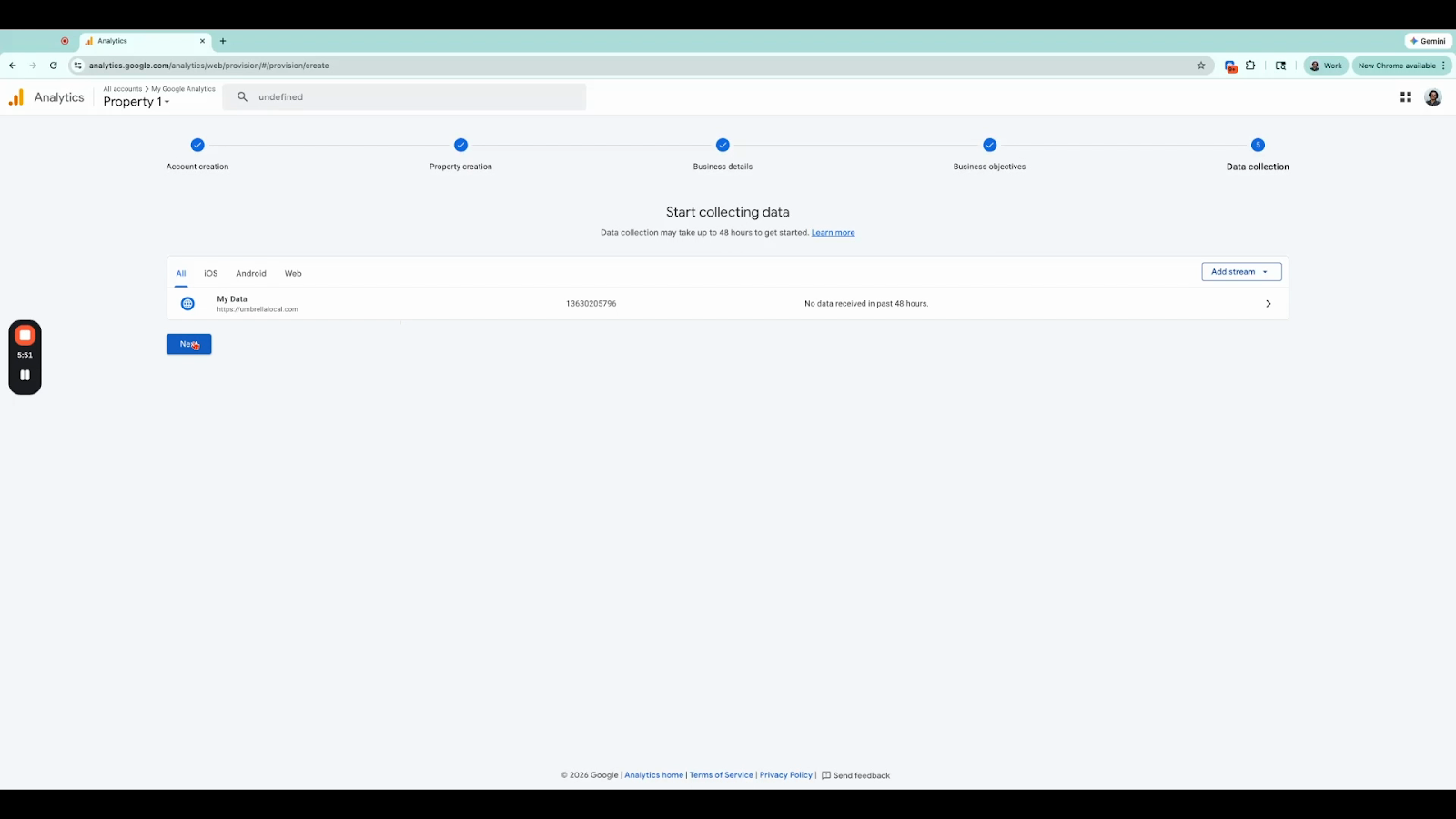
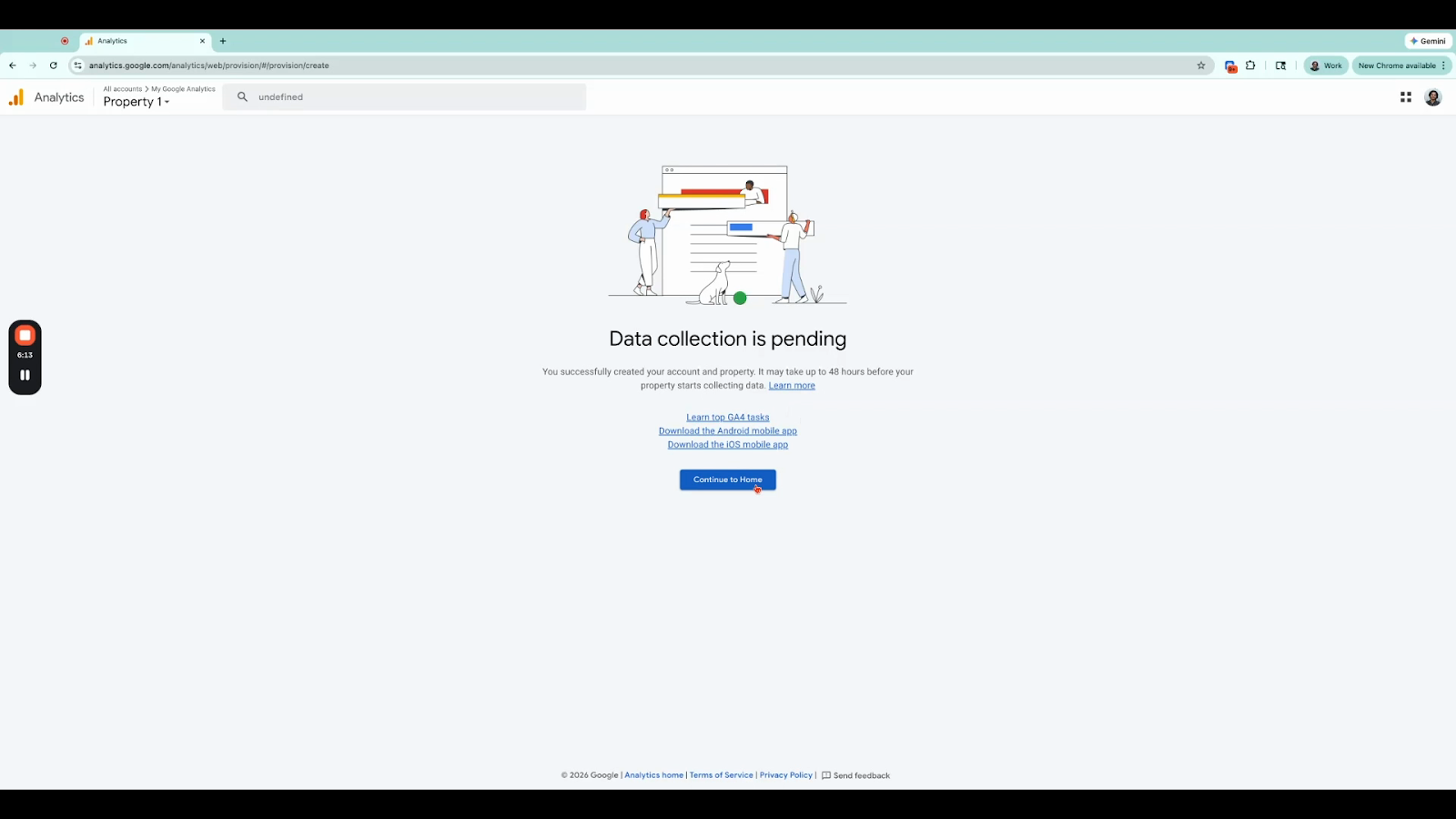
💡 Data may take up to 48 hours to appear. After setup you will see a message that data collection is pending — this is normal. Click Continue to Home to go to your dashboard.
Step 12: Select which email notifications (if any) you would like to receive from Google Analytics.
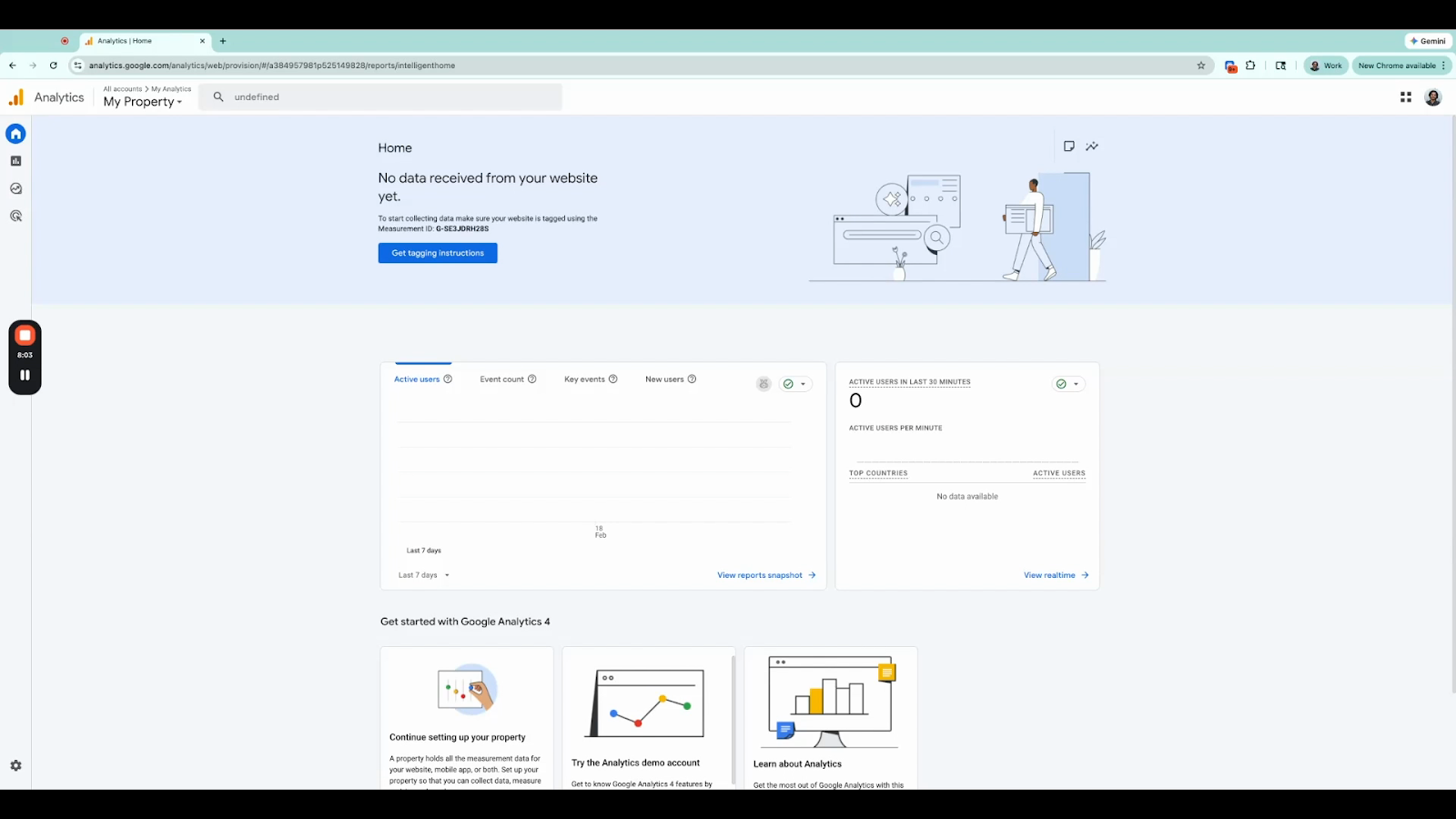
✅ Your Google Analytics account is now set up. Once data starts flowing in, you can explore traffic sources, user behaviour, and more from your dashboard.
To allow the SPO team to view your analytics data, you need to grant them Viewer access to your property.
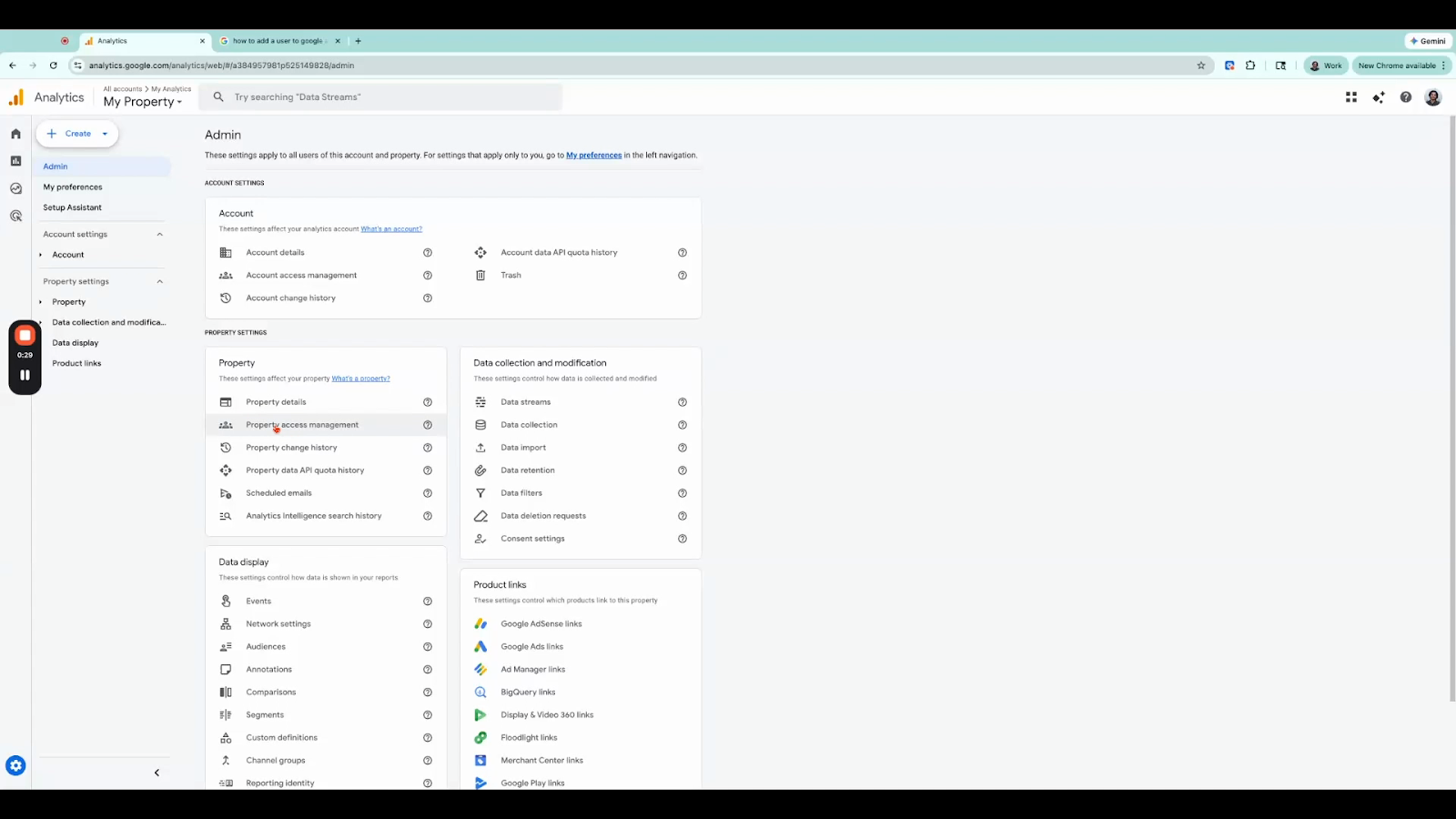
Step 1: Click the gear icon ⚙ in the bottom-left corner to open the Admin section.
Step 2: Under the Property column, click Property Access Management.
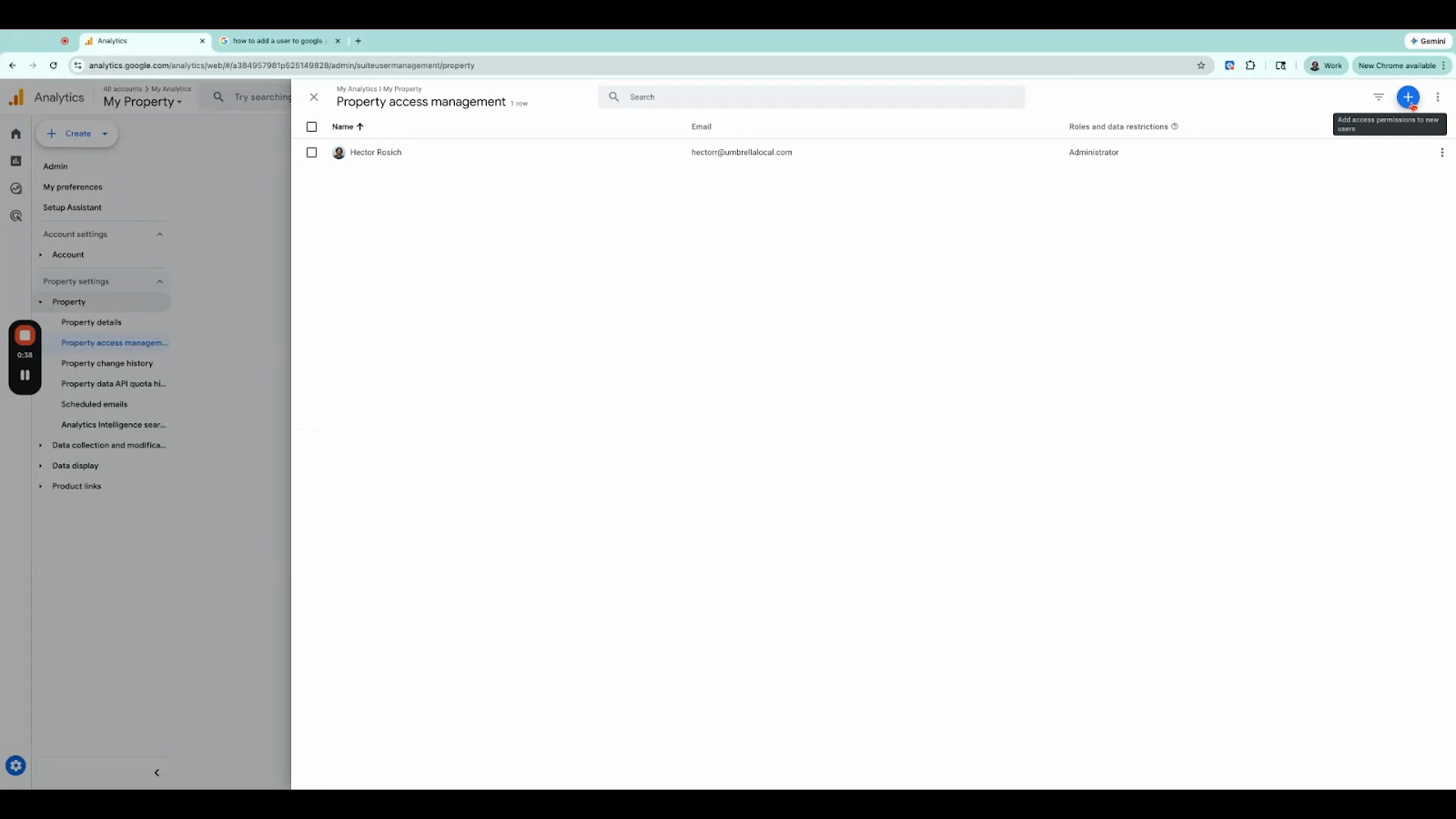
Step 3: Click the + (plus) button in the top-right corner, then choose Add Users.
Step 4: Enter the following email address:
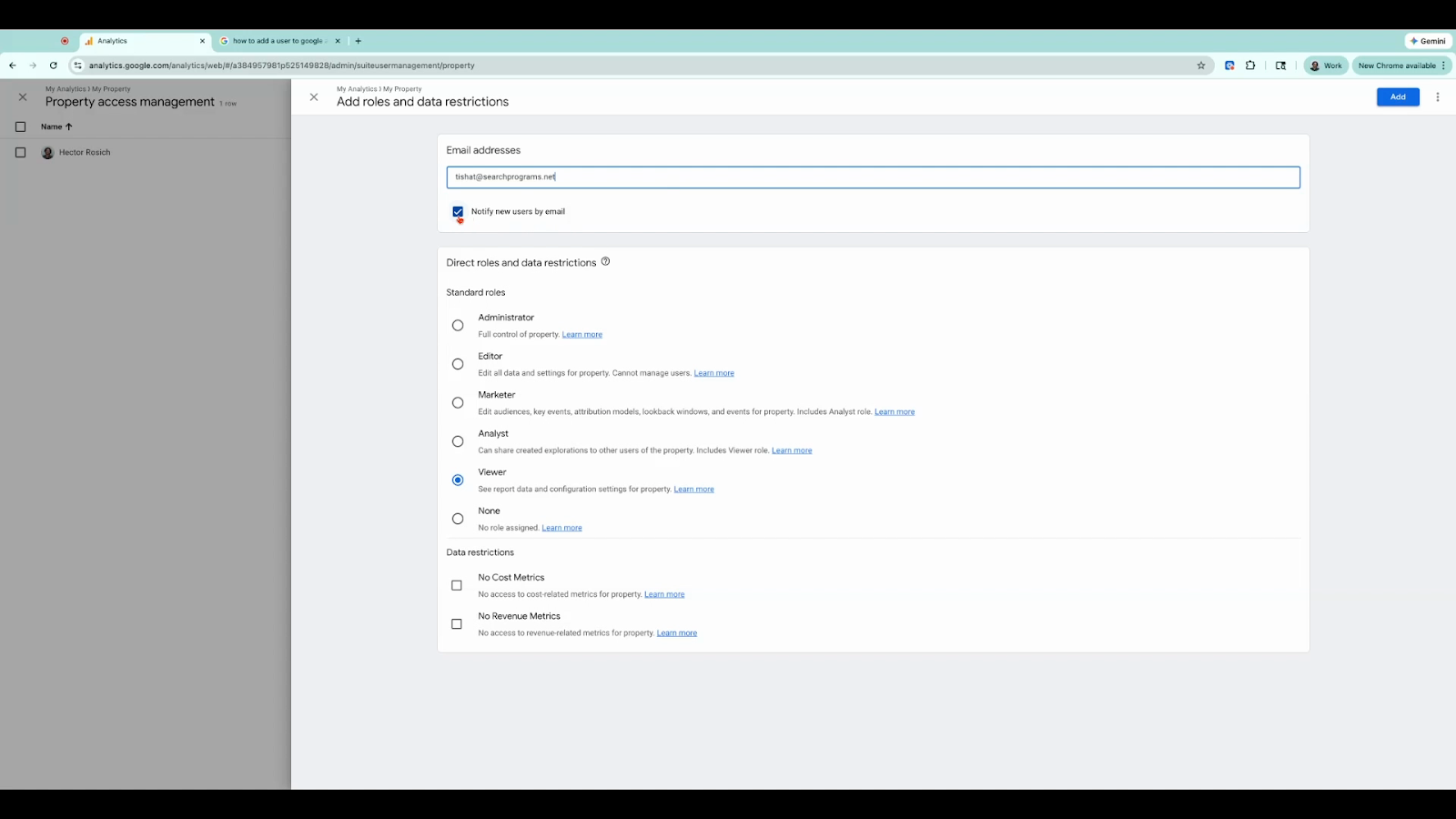
Step 5: Check the box for Notify new users by email so they receive a confirmation.
Step 6: Set their role to Viewer, then click Add to grant access.
✅ The SPO team now has Viewer access and can begin reviewing your Google Analytics data.
💬 Need help? If you run into any issues, click the chat icon at the bottom right of your Umbrella dashboard and our team will be happy to assist you.
