
After your campaign submission is approved and the GBP access invitation is sent to our team, our team will begin optimizing your campaign, making it ready to go live.
Within 2-3 business days, the initial optimization will be completed, and you will receive a notification to your Umbrella Inbox from the vendor that your campaign is now live.
You can view the campaign progression and download the report by logging in to the Signal Boost platform.
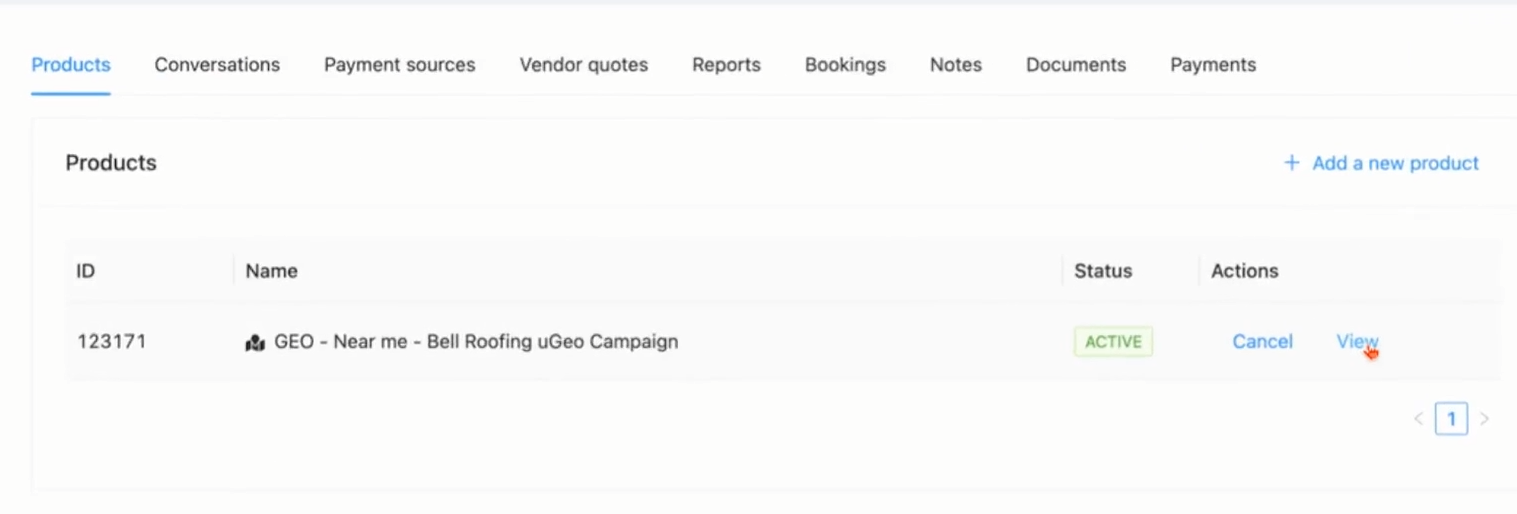
Step 1: Open the client’s Contact page tied to the uGeo campaign.
Step 2: Click View to display the campaign’s main info.
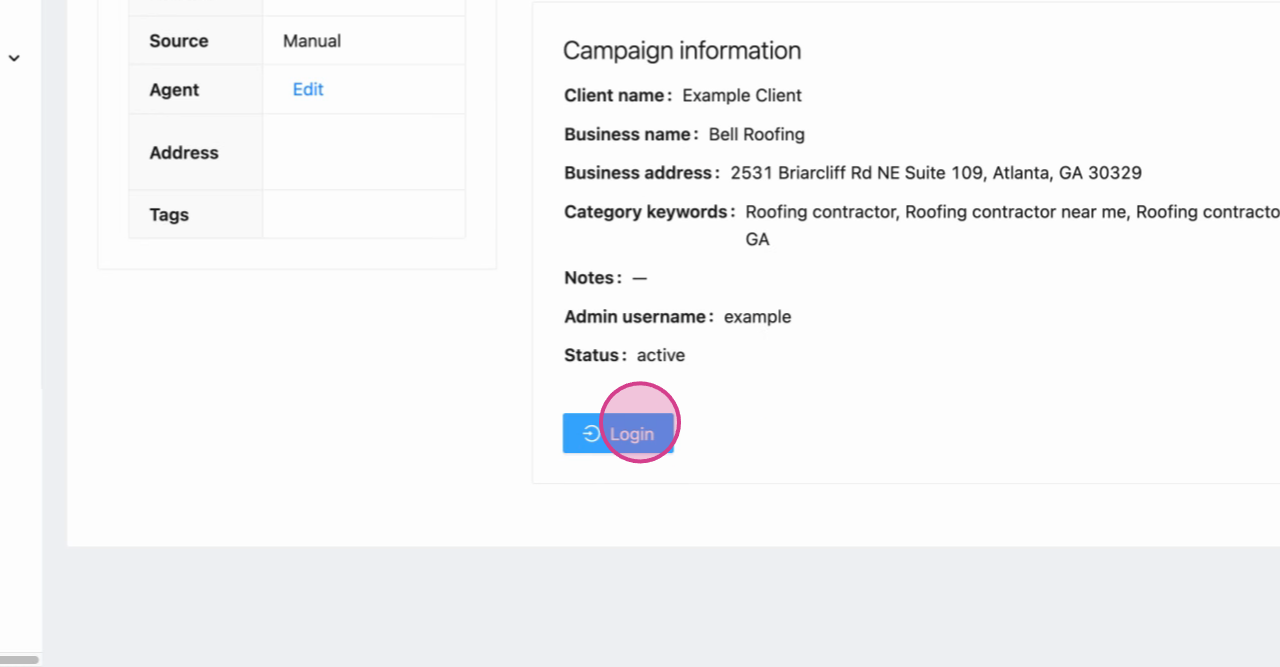
Step 3: In the bottom left, select Login to enter the campaign dashboard.
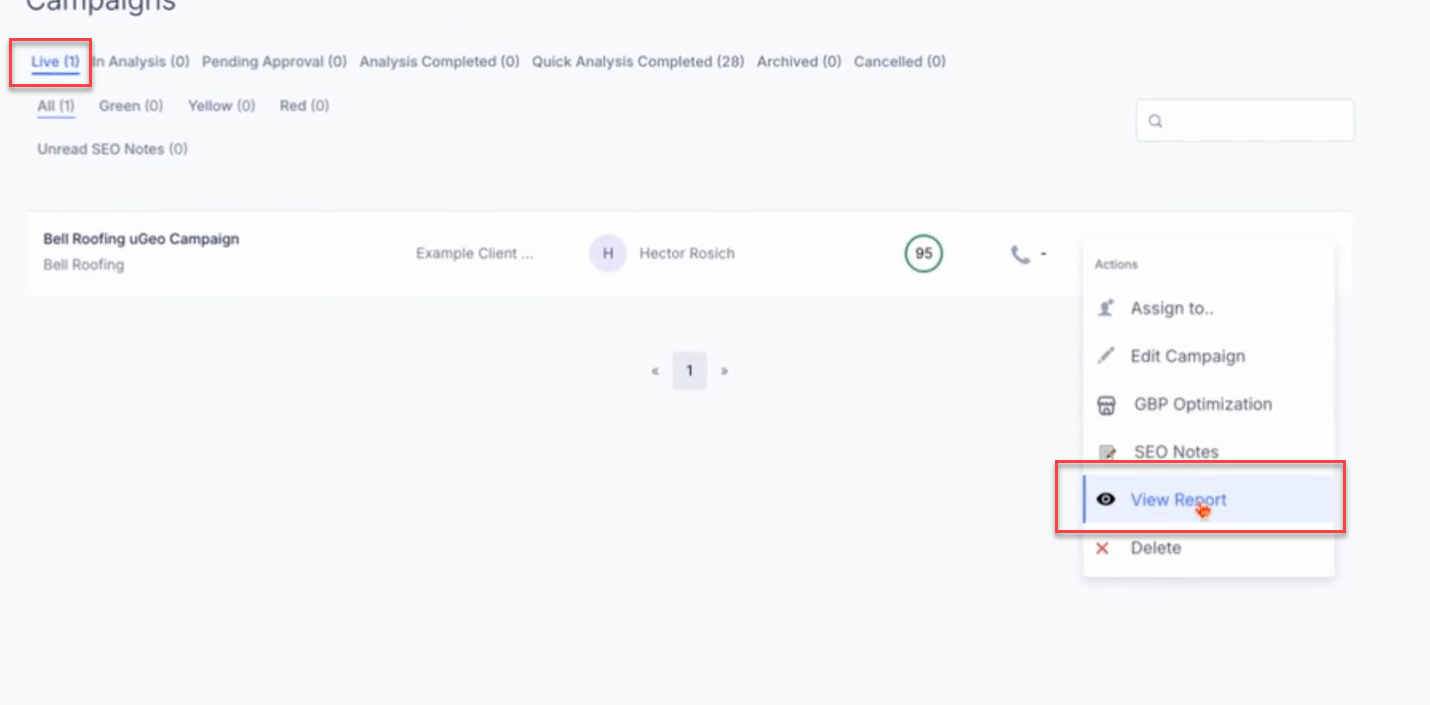
Step 4: In the dashboard, check the Live tab for your campaign.
If the project is still on “Analysis Completed”, and not under the LIVE tab,
the optimization has yet to be completed.
Please reach out to the vendor via the Inboxes in your Umbrella Dashboard to request confirmation that the optimization has been completed and to ask the vendor to start the campaign.
Step 5: Hover over the three dots on your campaign’s row and choose View Report.
View your client’s current rankings for each keyword on the campaign grid. Each pin represents ranking positions for a specific mile radius—the center pin marks the business location.
You can review metrics for overall ranking at the top of each grid, including within 1, 3, and 5 miles of the business location.
Scroll down to see the map rank score over time, AI ranking, and competitor analysis.
To save the report, at the top of the report, click the "Download Report" button to download a PDF. You can share this comprehensive report with your client so they can review campaign progress at a glance.
Clients generally see significant results within 60 to 90 days of campaign launch. If you get stuck anywhere, click the chat icon at the bottom right corner of your Umbrella dashboard—our support team is ready to help.