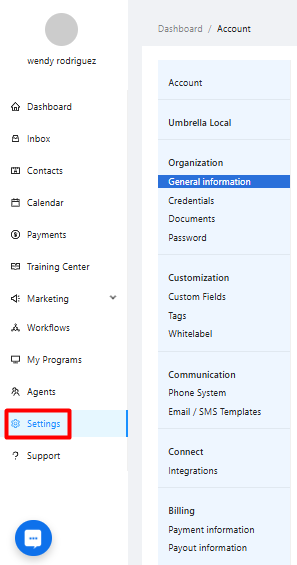
You can manage all administrative aspects of your Umbrella account, including your profile, company details, security, custom platform elements, communication settings, integrations, and billing/payouts.
From the main left-hand navigation menu, click on the "Account" option
Use the secondary left-hand menu within the Account section to navigate between: General Information, Credentials, Documents, Password, Custom Fields, Tags, Whitelabel, Phone System, Email/SMS Templates, Integrations, Payment Information, Payout Information.