Choosing the right keywords makes or breaks your uGeoRank campaign’s success.
This tutorial walks you through selecting effective keywords based on your client’s Google Business Profile category and services.
Step 1: Find the Primary Category on the Google Business Profile.
Search your client’s business name and location on Google. Look for the category directly on their profile.
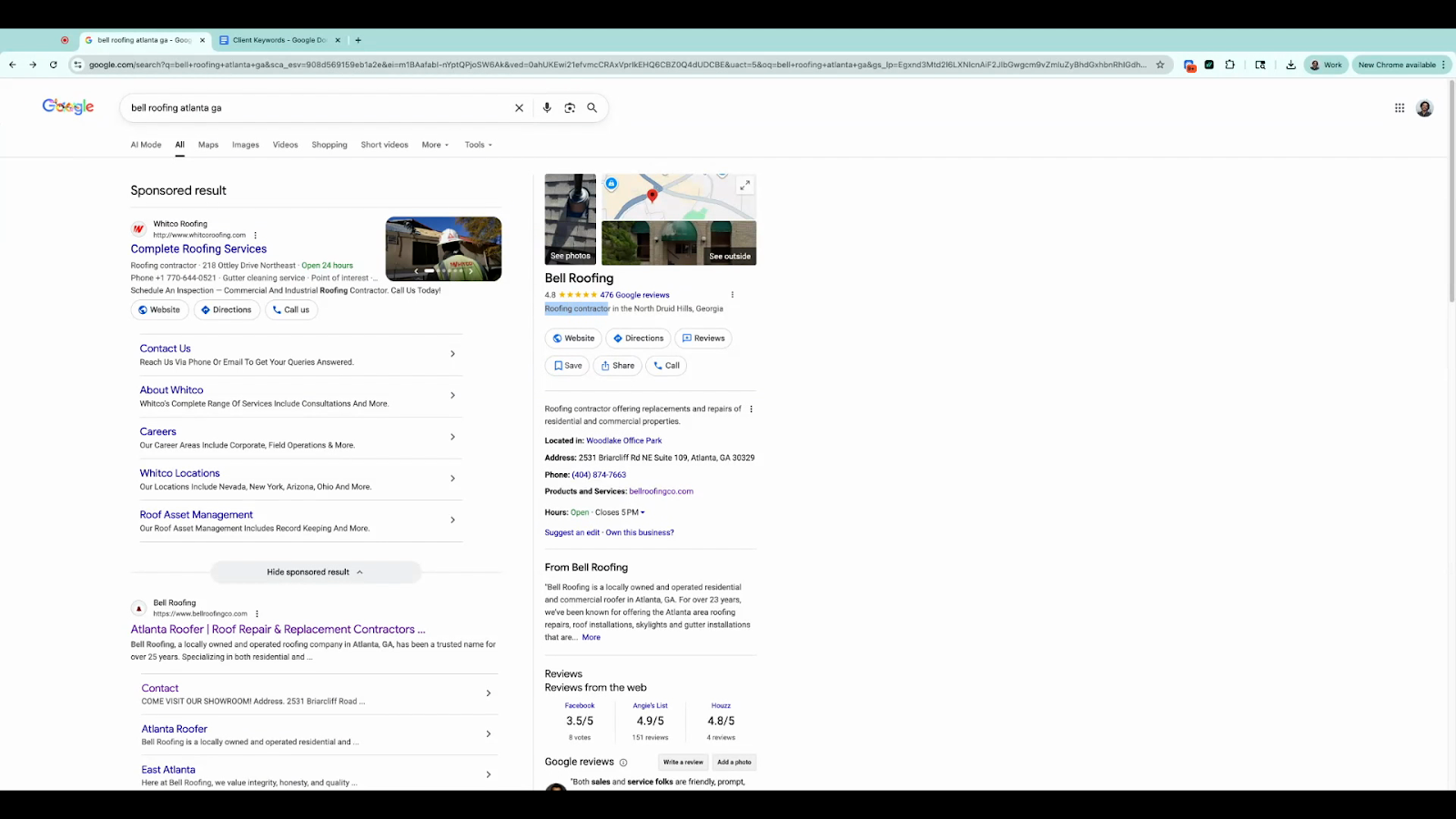
Step 2: Confirm the Category in Google Maps.
Click into the Maps tab from the search results and check the business’s official listing. Make sure the same category appears under the business name.
Step 3: Use Only the Primary Category for Keywords.
Stick to keywords related to the business’s primary category.
Step 4: Build the First Three Keywords.
Start with the primary category itself, then create two local variations — one with “near me” and one with the city and state.
GBP Category
GBP Category + near me
GBP Category + City
For example:
Roofing Contractor
Roofing Contractor Near Me
Roofing Contractor Atlanta
Step 5: Identify the Main Service(s) from the Website.
Visit the client’s website to see their main services.
Step 6: Confirm Service Keywords Match the Primary Category.
Search the service plus the location (e.g., “Roofing Atlanta”). Check that top-ranking businesses use the same primary category. If so, it’s a valid keyword.
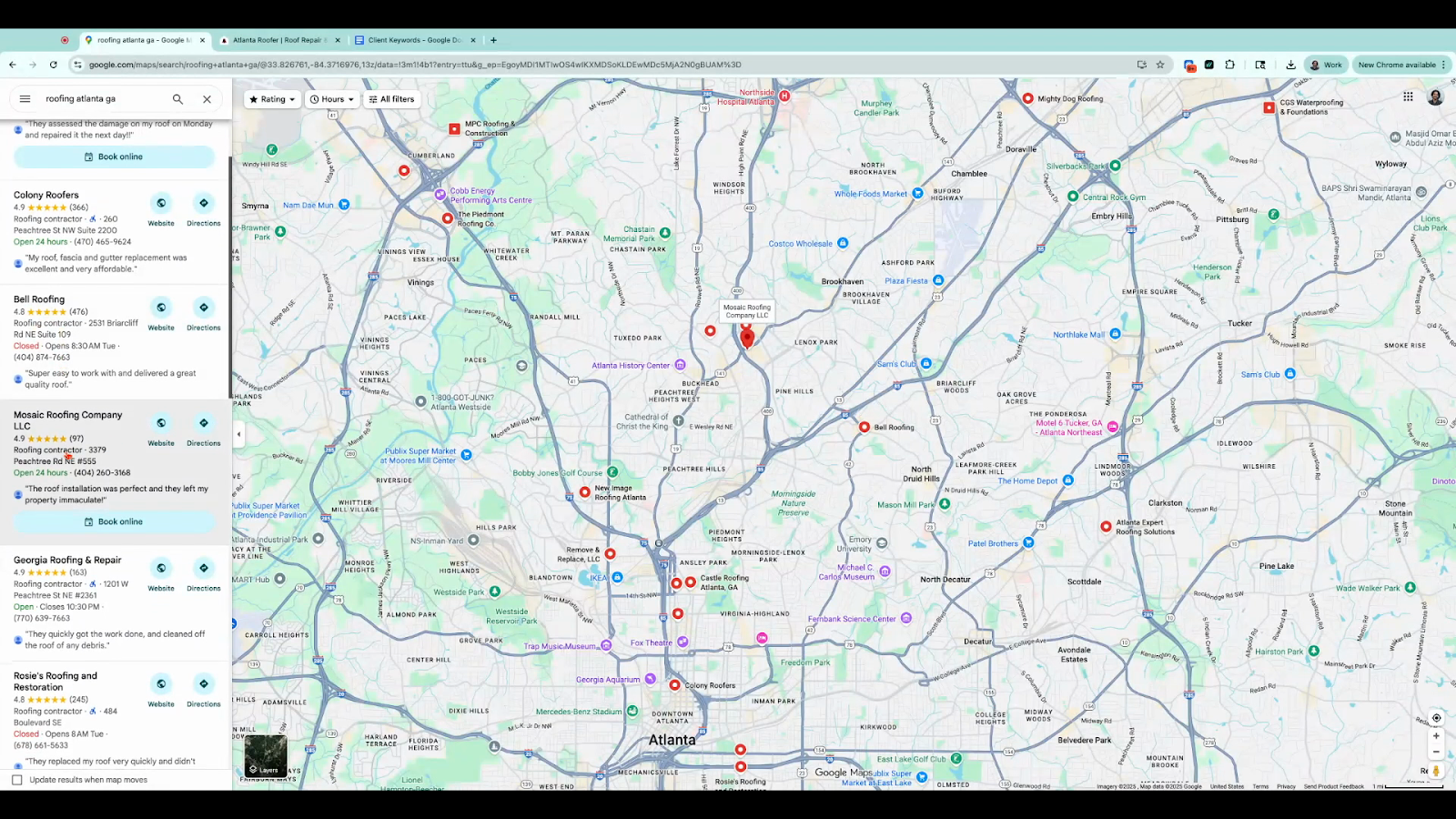
Step 7: Avoid Keywords from Different Categories.
If the service search results show GBPs with a different category (e.g., “Plumber”), it’s not allowed—even if the client has it as a secondary category.
Step 8: Create Three Variations of the Service Keyword.
Use the service alone, with "Near Me," and with city/state.
Main Service Keyword
Main Service Keyword + near me
Main Service Keyword + City
For example:
Roofing
Roofing Near Me
Roofing Atlanta
Step 9: Add Another Service Keyword
For a seventh keyword, you can choose another service only if it matches the primary category. Confirm by searching the service plus location; make sure top results are from businesses with the same primary category.
Step 10: Amount of Keywords.
You can use up to seven keywords—but using only the six primary keywords can be beneficial as it lets your chosen keywords get more focus and a stronger boost.
Having the right keywords, based on your client’s primary Google Business Profile category and main services, ensures your uGeoRank campaigns are targeted and effective.
