Awarding complimentary vacations is a powerful way to delight clients, nurture leads, and motivate your team. This guide walks you through every step, so you can confidently present these travel incentives and make the process seamless for recipients.
A complimentary vacation means free accommodation courtesy of your partner. Recipients still pay taxes, fees, and for their own transportation. Let's get started!
Step 1: Enter the Recipient’s Information
Go to the YouTravel tools section in your dashboard. Enter your recipient’s details first—this is crucial, as the vacation provider needs this info before verifying any code or redemption link.
Step 2: Send the Complimentary Vacation Email
After saving your entry, email your recipient using the official complimentary vacation template. Thank them for their business and include the redeemable link and code.
Step 3: Client Chooses a Destination
The recipient clicks the link (for example: redeemyourvacation.com) in your email. They’ll land on a special site where they can choose their preferred destination from available options.
Step 4: Recipient Completes Redemption
Your client fills out their information, enters your discount code, pays required taxes/fees, and receives a PDF confirmation. This PDF has everything they’ll need to start their trip.
Step 1: Open the Umbrella Dashboard
Access your Umbrella dashboard.
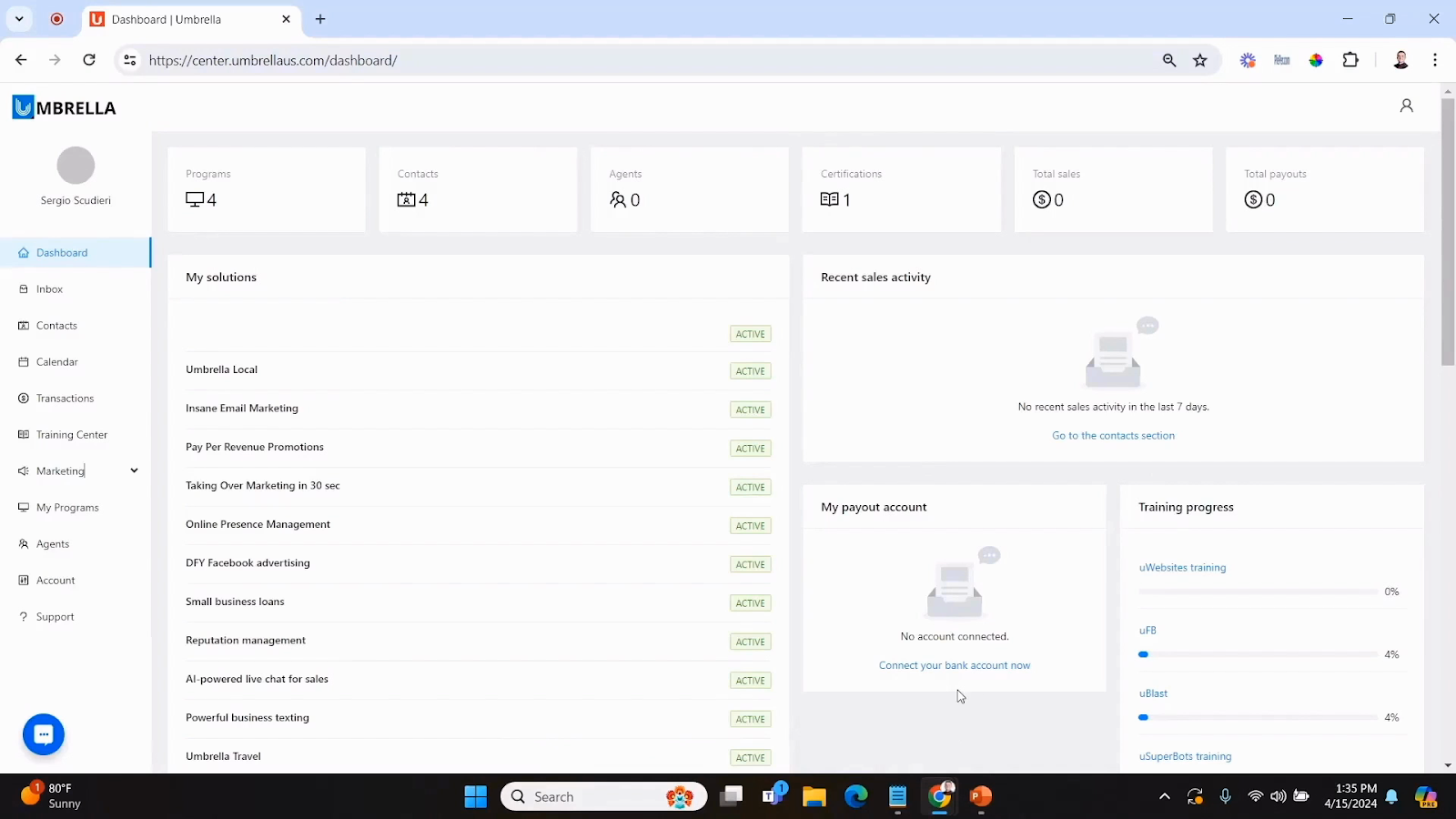
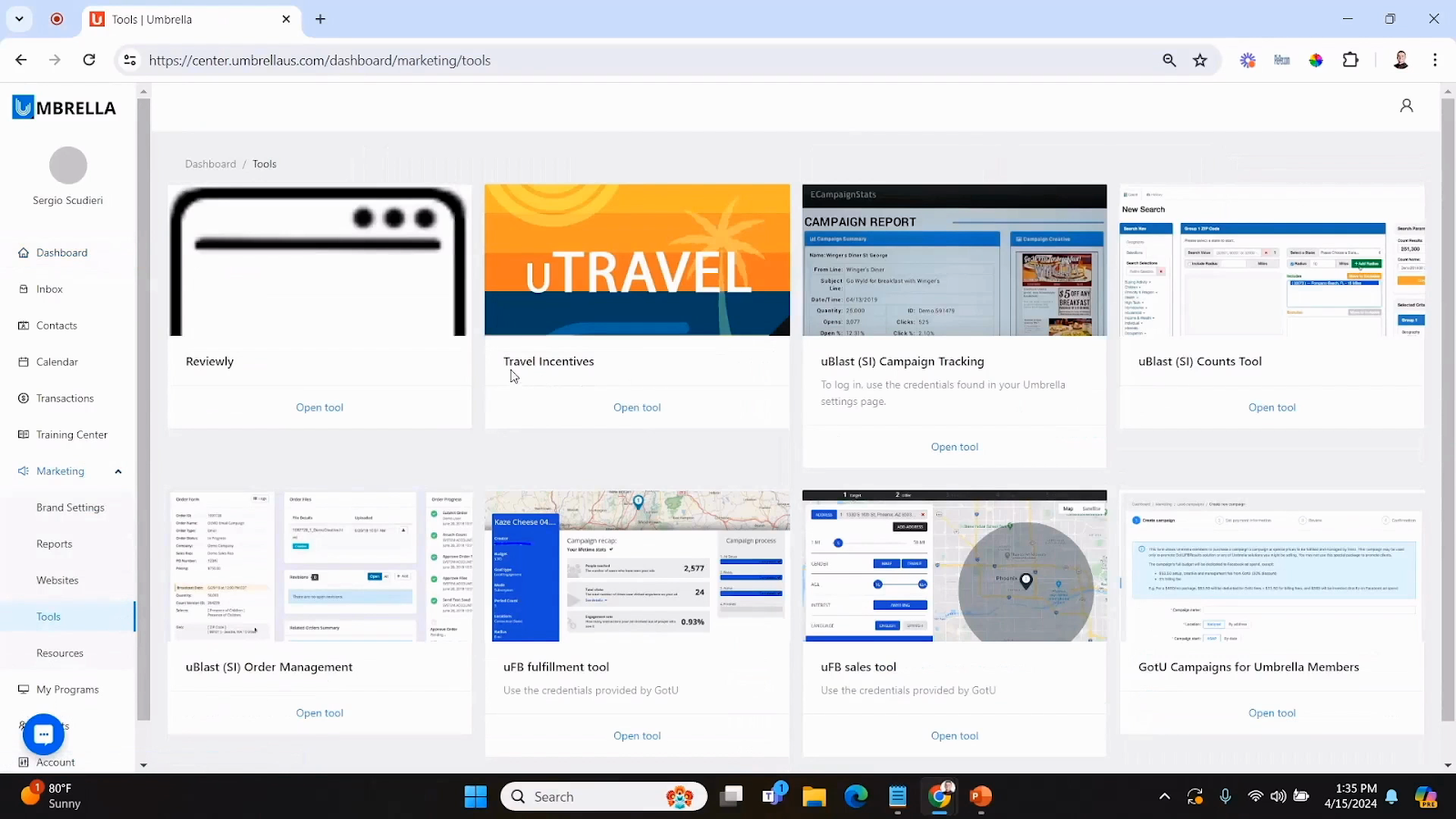
Step 2: Navigate to Marketing Tools
Go to Marketing and then Tools.
Step 3: Select Travel Incentives
Find and open the Travel Incentives tool.
Step 4: Create a New Travel Incentive
Click to add a new travel incentive. Fill in the “Compliments of” field with your business name, and write a thank you note (e.g., “Thanks for your continued business. Enjoy your trip!”).
Step 5: Enter Recipient Details
Input the recipient’s first and last name, their email, phone number, and the destination (like “Worldwide” for maximum flexibility).
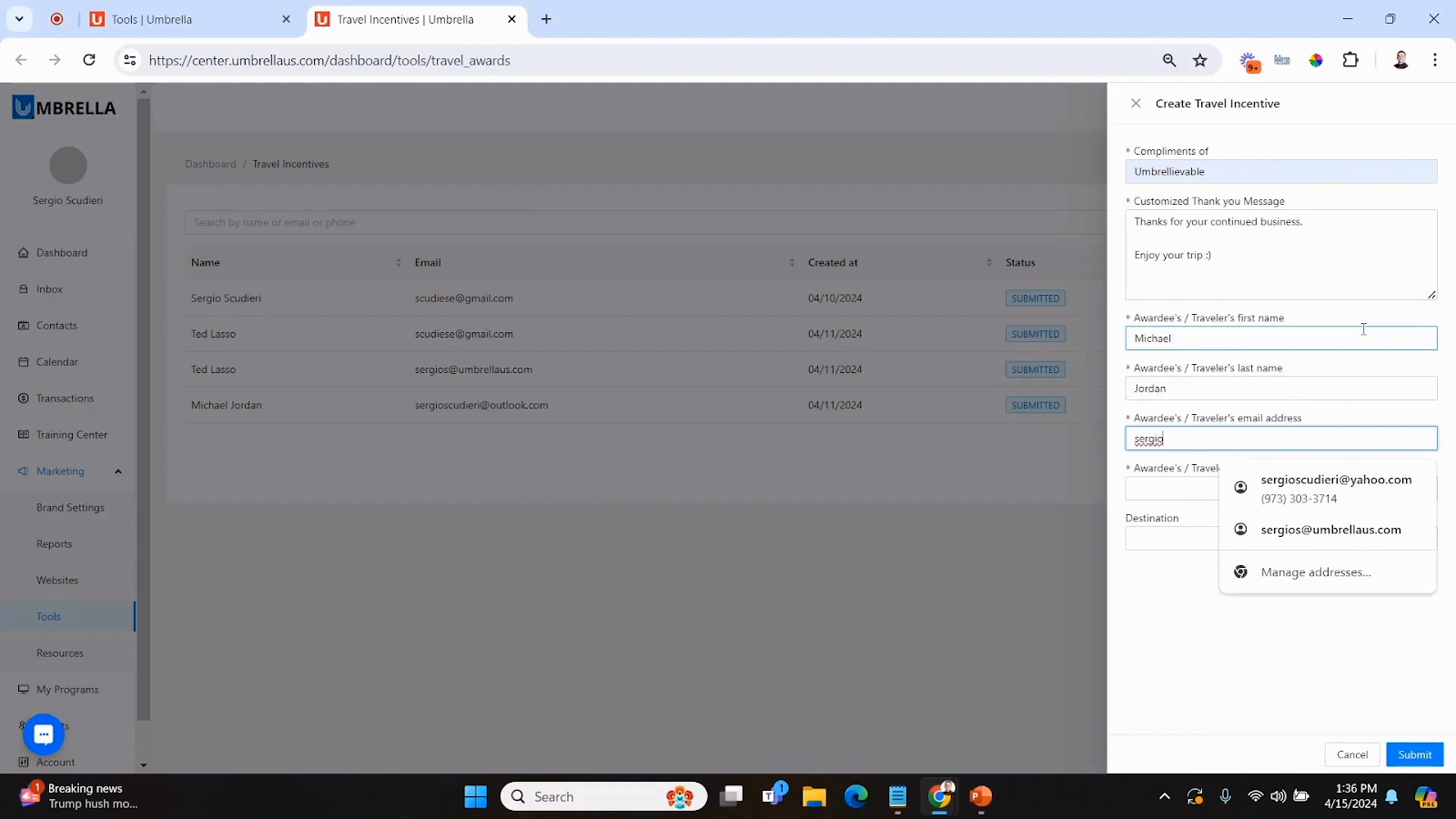
Step 6: Submit the Entry
Finish by submitting the incentive. Now, your partner knows exactly who’s eligible and for which trip.
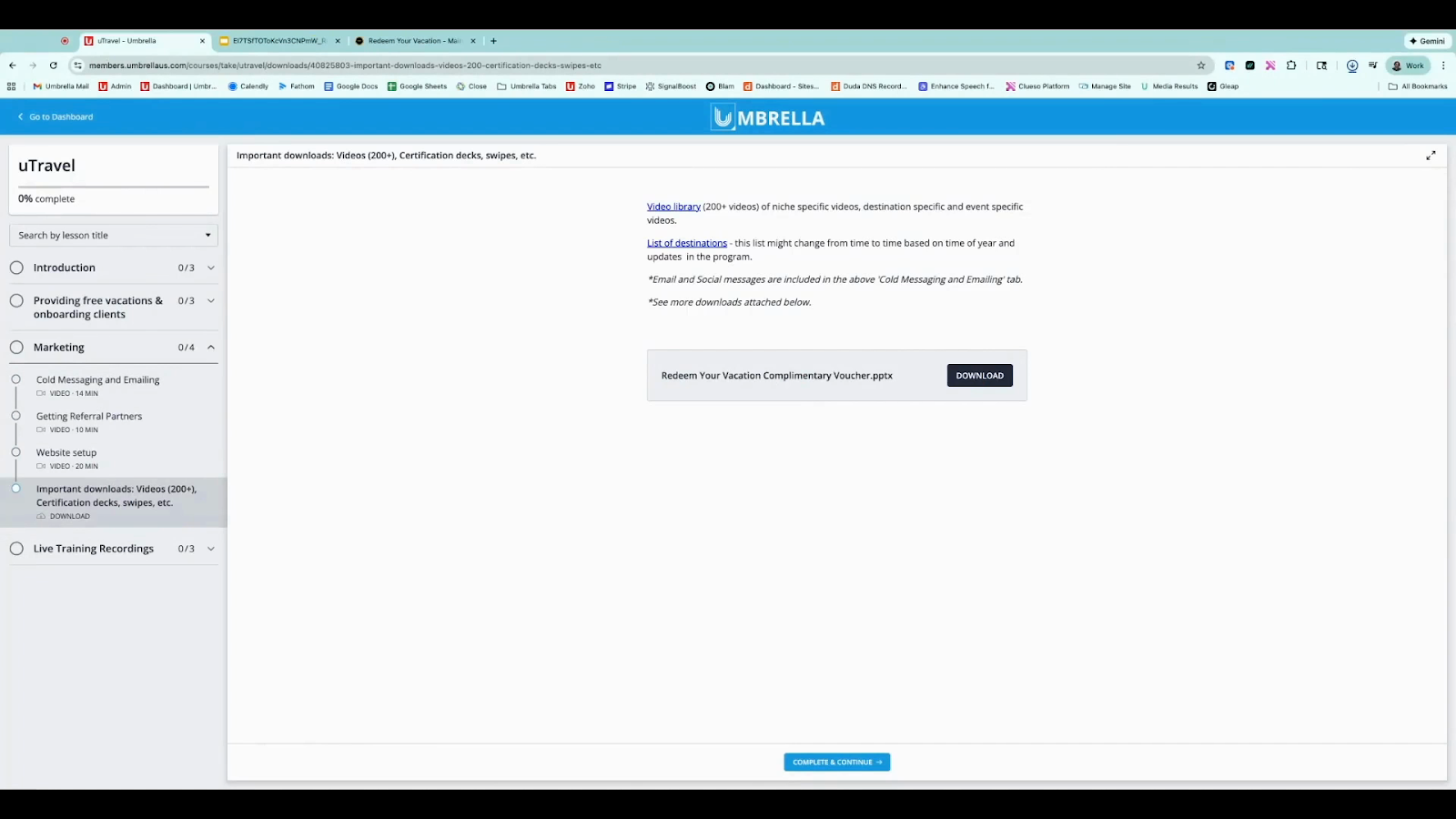
Step 1: Access the Certificate
Open U Travel Training. In the Marketing dropdown, select Important Downloads and download the Redeem your vacation complimentary voucher.
Step 2: Complete the Certificate
Fill in the recipient’s name and the date. The discount code should already be listed.
Step 3: Send the Certificate
Email the certificate PDF to your client.
Step 1: Start Redemption
The client scans the QR code or goes to the URL on the certificate (redeemyourvacation.com).
Step 2: Register for Their Account
They select Continue and fill out the registration form—username, email, name, password, and your name as referrer. Enter the discount code from the certificate.
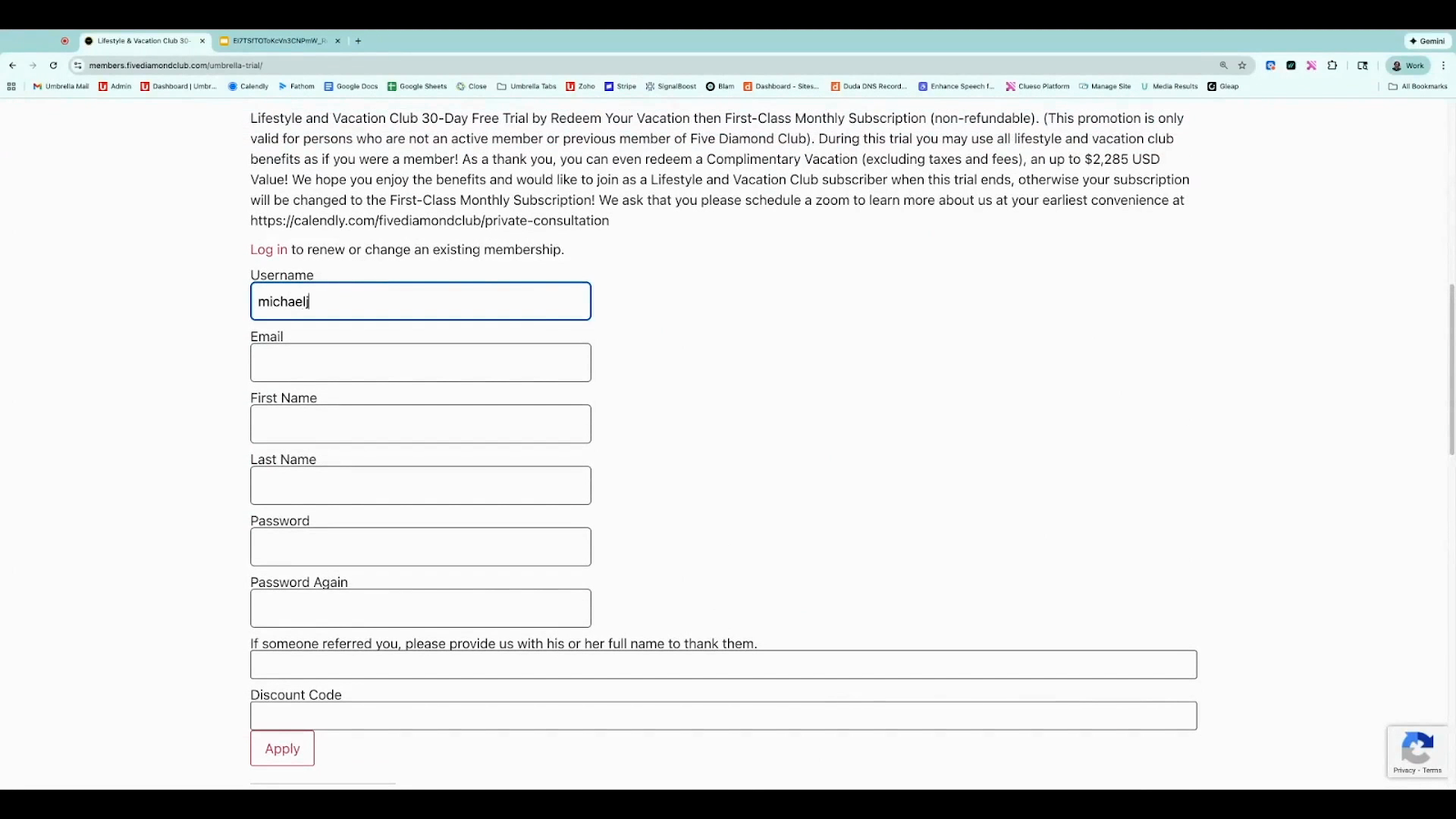
Step 3: Apply the Discount Code
Click Apply next to the code field to ensure it's valid.
Step 4: Enter Card Information
Input card details to cover taxes and fees—even though accommodation is complimentary, fees apply. Agree to all terms and click Register.
Step 5: Access Subscriber Benefits
Once registered, the recipient can explore their trial benefits. To continue, select Redeem complimentary vacation.
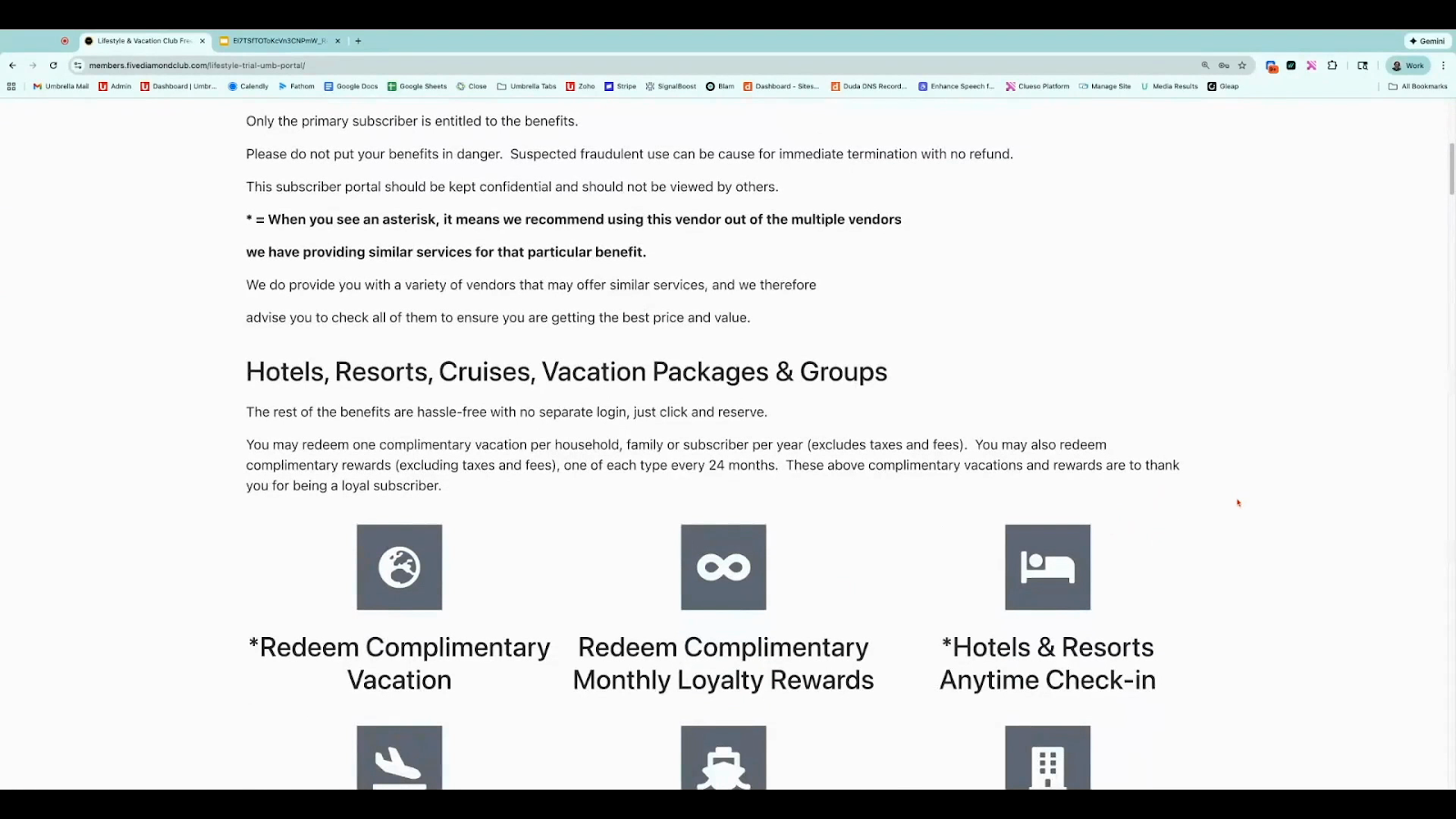
Step 6: Pick a Destination and Register
Choose a destination (e.g., Rio de Janeiro). Complete the brief additional form, using your name as referrer and re-entering the discount code.
Step 7: Apply Code and Agree to Terms
Apply the code again, agree to Terms and Conditions, and register.
Step 8: Download the Destination PDF
They’ll receive a PDF specific to their chosen location, containing a unique certificate number.
Step 9: Activate the Vacation
Visit www.redeemvacations.com/activate, enter the certificate number, name, and email. The system will recognize and display the trip, and they can finalize activation.
Step 10: Complete Activation and Plan
Pay only the required nightly tax/fees. The certificate must be activated within seven days of issuance, but travel can be scheduled anytime within 18 months.
Complimentary vacations are a great way to reward, engage, and inspire. Follow these steps to deliver a seamless, delightful experience to your clients or team—making every trip memorable.
