Supercharge Client Engagement with Umbrella's Boost Feature
Umbrella's "Boost" feature is a dynamic and highly customizable Content Management System (CMS) designed to empower you to directly market your services and special offers to your clients within their HubOne portal. Think of it as your dedicated promotional canvas, strategically placed to capture client attention and drive upsells.
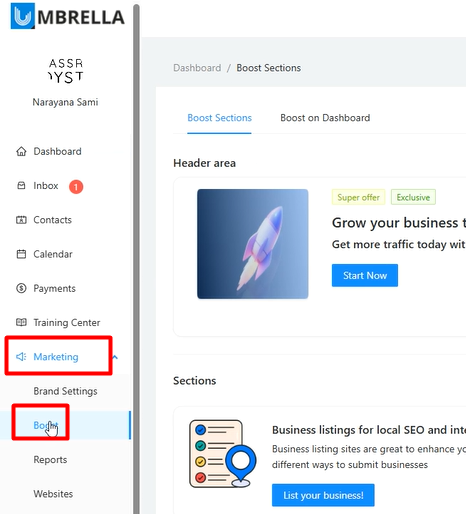
Navigate to Marketing in the main left-hand menu of your Umbrella application.
Click on Boost.
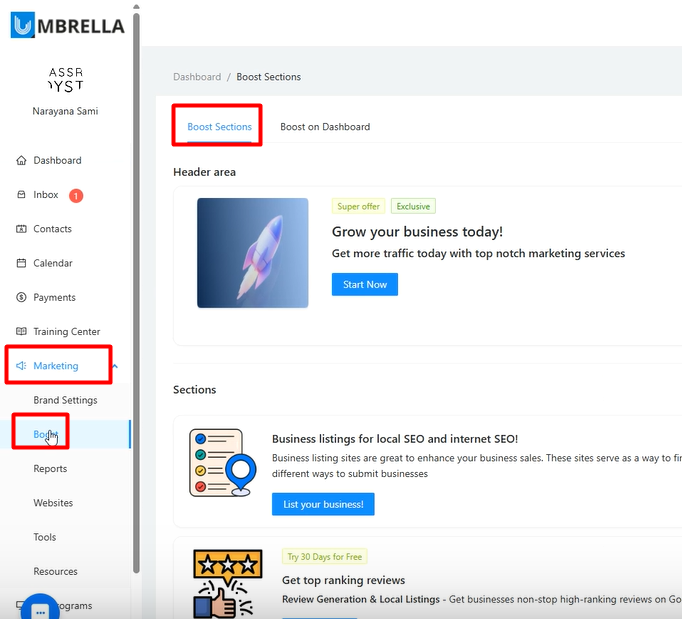
Within the Boost interface, you'll primarily work with two main tabs: "Boost Sections" and "Boost on Dashboard."
There are two primary areas you can customize:
Boost Sections (Main Content Area): This is where you define individual blocks for your services or offers. It includes a main "Header area" banner and subsequent "Sections" below it. This is what clients see when they navigate to the dedicated Boost page in their HubOne portal
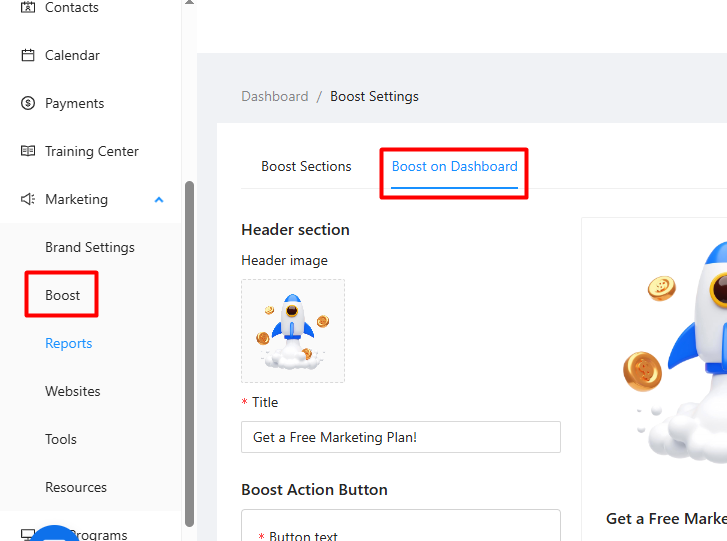
Boost on Dashboard (Right Panel): This controls the separate, smaller panel that appears on the right side of the client's main HubOne dashboard view, providing quick links and a primary call-to-action.
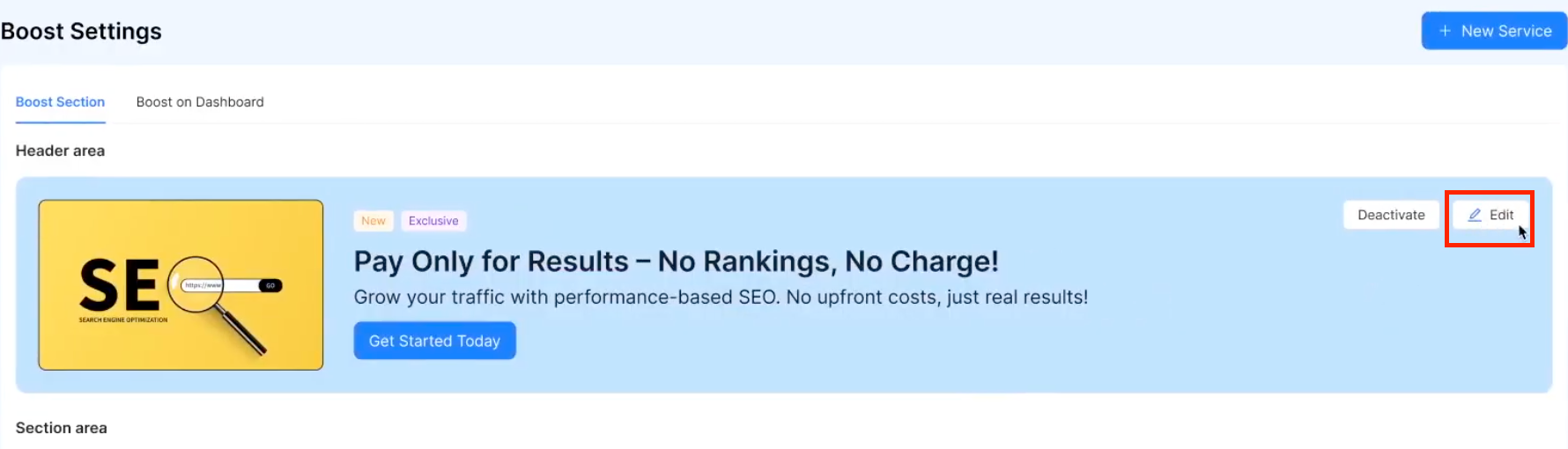
On the Boost Sections tab, the first item listed is the "Header area".
Click Edit on this item.
An "Edit service" panel will slide out on the right. You can customize:
Title: Internal name for this header section (e.g., "Boost Header").
Banner Image: Upload an image for the banner. Click the trash icon to remove, then the upload icon to add a new one. The demo shows uploading a rocket image Background Color: Choose a background color for the banner area (often white is preferred if not using a full-width image).
Tags: Add visual tags like "Super offer," "Exclusive," or, as shown in the demo for a 4th of July promotion, "50% OFF for 4th of July!". Type the tag text and press Enter. These appear overlaid on the banner. You could also use a tag like "30 Days Free Trial."
Boost header text: The main headline text displayed on the banner (e.g., "Grow your business today!" or "Get found on every Near Me search for 50% Off during 4th of July Week!").
Header content: The sub-text or description displayed below the headline. Edit using the text editor. Example: "Get a free Marketing Strategy session today. We'll review your goals, your budget, your status and create a winning plan for you."
Boost Action Button:
Button text: Text on the main call-to-action button
Button URL: The web address (URL) the button links to. This can be your booking calendar link, a landing page, etc.
Button Type: Primary (usually a solid color, like blue) or Secondary (usually lighter/outlined, like light gray).
Click Submit (or Save) at the bottom of the edit panel.
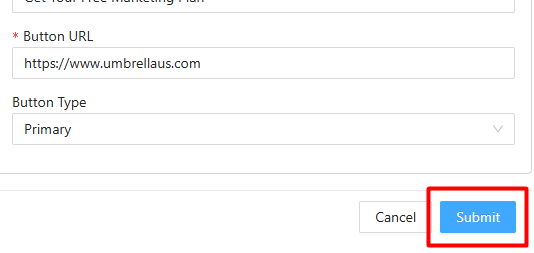
View the updated header on the Boost Sections preview
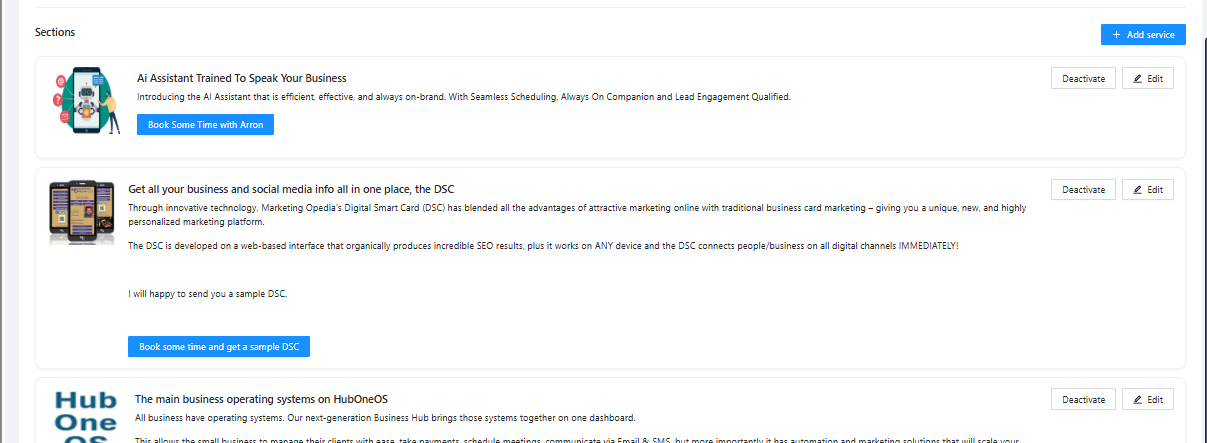
These are the blocks appearing below the main header on the Boost Sections page. You can add multiple sections to showcase different services.
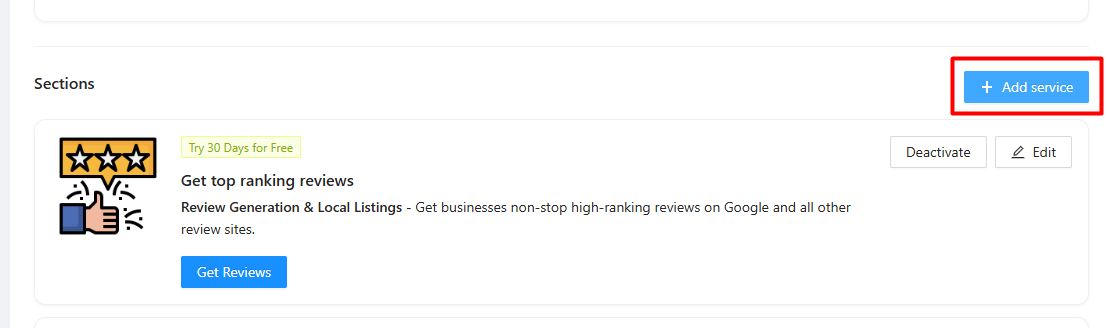
To Add a New Section: Click the + Add Service button
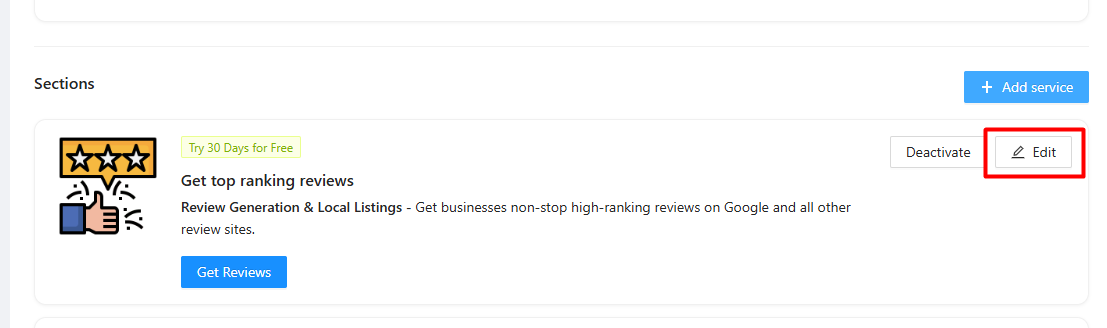
To Edit an Existing Section: Find the section you want to change and click Edit.
In the "Edit service" panel, you can customize:
Service name: Crucial field. This is used both internally AND as the text for the link that appears on the "Boost on Dashboard" right panel. Examples: "Amazing Websites", "Pay Per Result SEO," "Local Service Ads."
Display order: A number determining the vertical order of sections (lower numbers appear higher).
Banner Image: Image for this specific service block.
Tags: Visual tags specific to this offer (e.g., "50% off in May" as seen on an existing section, or "Half off during July" for a new one).
Service title: The main headline displayed within this service block.
Example (for a new "Amazing Websites" section): "Amazing Websites to 2x Increase Sales Today!"
Other examples: "Pay Per Result SEO - We'll get you 1st page ranking or you don't pay!", "Near-Me SEO - Show up every time someone does a Near-Me search."
Service content: The description text displayed within this service block when the client clicks on it. You can use the text editor for formatting.
Example (for "Amazing Websites"): "Get beautiful, highly converting websites, to increase your leads and sales. All done for you, from design, to build to content."
Other examples: "Search Box Optimization – Takeover the autocomplete of Bing and YouTube for any search term.", "Ai Voice Answering - never miss a call and always provide the best experience to every caller with our Voice AI."
Boost Action Button: (Button text, Button URL, Button Type) specific to this service offer. For "Amazing Websites," the demo uses "Get My Site Today".
Click Submit (or Save). The new section will appear in the editor
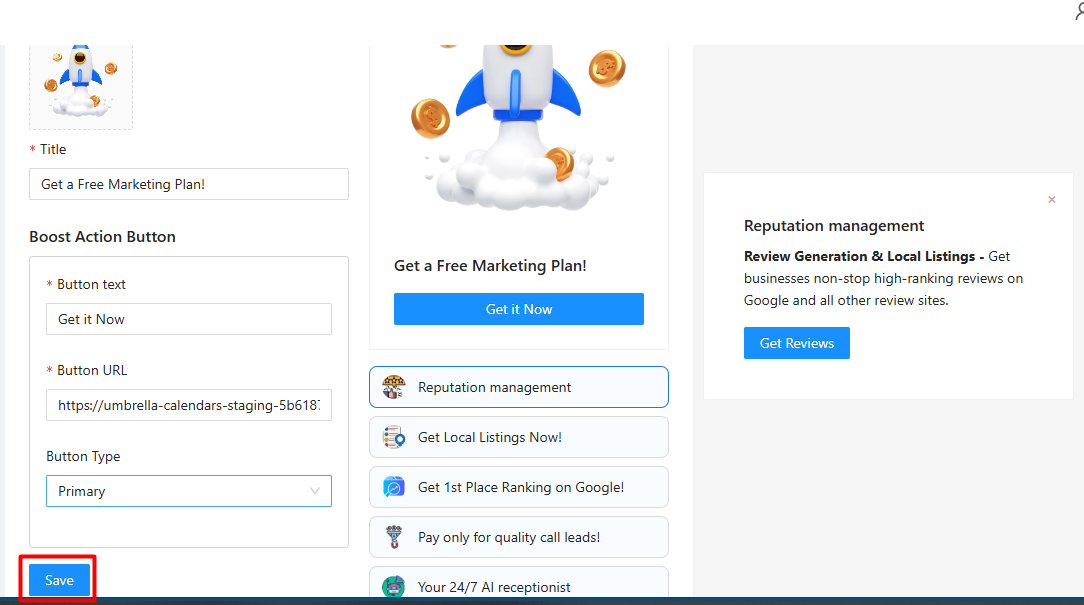
Navigate to the Boost on Dashboard tab.
This page allows you to edit the single promotional panel that appears on the right side of the client's main HubOne dashboard.
You can edit:
Header section image: The image displayed at the top of this panel
Title: The main headline for this panel
Boost Action Button: - This is the main button in the panel.
Click Save.
Important: The list of links appearing below the main button in this panel are automatically populated from the Service names of the active individual service sections you configured on the "Boost Sections" tab (Step 4). Clicking one of these links opens a pop-up with that section's details.
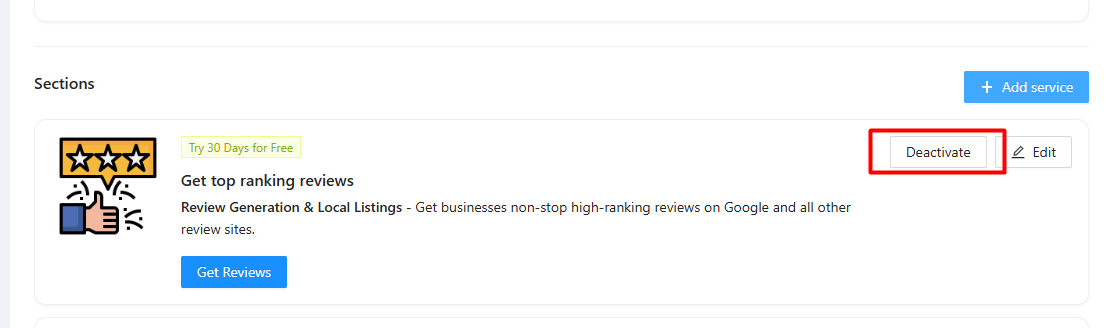
On the Boost Sections tab, both the Header area and each individual Service Section have a Deactivate button. Clicking this will hide that specific item from the client-facing Boost page and from appearing as a link on the dashboard widget.
If a section is deactivated, there will be an Activate button to make it visible again.
Here is a list of services and teaser text you can use for your BOOST section:
Pay Per Result SEO -We'll get you 1st page ranking or you don't pay!
Local Service Ads - Have Google endorse your business and only pay for qualified call-in leads directly from Google.
Near-Me SEO - Show up everytime someone does a Near-Me search, get in front of ready-to-buy customers.
Search Box Optimization – Takeover the autocomplete of Bing and YouTube for any search term.
Amazing Websites - Get beautiful, converting websites to turn more visitors into leads & sales.
Google & Facebook advertising - increase sales quickly with the premium advertising from Facebook or Google.
Website Accessibility - Make your site accessible to people with disabilities to increase sales
Local Listings - Be visible on 70+ leading websites and search engines, and update all from one record, anytime.
Ai Voice Answering - never miss a call and always provide the best exerience to every caller with our Voice AI.
Ai Seller for your Website - get the best audio-visual AI to 2x-4x conversions on your webiste. Comes with video and voice replication for you or anyone in your company.
Free Marketing Strategy - Not sure how to scale your business, get a free consulation. We'll discuss your goals, your budget and how to get there - 100% complimentary.
